
latest header logo

Let's Create Something Extraordinary Together

Your Trusted Partner in Digital Innovation

Reach out to explore tailored solutions designed to transform your business.

Transparent Project Insights

Understand your project’s scope clearly, with no unexpected surprises

Step Into the Future

Share your ideas, and we’ll connect with you within 16 hours (excluding holidays) to bring your vision to life.

Crafting Excellence for You

From mobile apps to web solutions and ERP systems, we’re here to build technology that works perfectly for you.

Quick and Reliable Response

Share your vision, and we’ll connect within 16 hours (excluding holidays).


    Mobile App Development

    android app security best practices ( 2025 )

    Android App Security Best Practices ( 2025 )

    Android App Security Best Practices ( 2025 ) Prashant Padmani Edit Template In the fast-changing world of mobile applications, ensuring strong security for Android apps has become more important than ever. As smartphone usage grows, the risk of data theft, hacking, and privacy misuse also increases. This guide explains the best practices for Android app security, helping developers understand how to secure Android apps from hackers, protect user data, and prevent unauthorized access. Table of content Add a header to begin generating the table of contents 1. Android Studio: Unveiling the Power of Android App Developmen 1. Understanding Android App Security 1.1 Introduction to Mobile App Security Mobile app security plays a vital role during development, especially on Android due to its open-source structure and a wide range of device types. Google offers Android security guidelines to help reduce risks. As more users rely on mobile apps daily, keeping your app secure is essential to protect sensitive data and maintain trust. 1.2 The Significance of Android App Security Strong security in Android apps helps build user confidence and brand trust. A secure app prevents data leaks, protects personal information, and supports compliance with global data protection laws like GDPR and CCPA. 2. Common Threats and Vulnerabilities 2.1 Data Leaks and Unauthorized Access One of the most common risks in mobile apps is unauthorized access to user data. Use strong data encryption methods such as AES-256 to protect stored and transmitted information. The OWASP Mobile Security Project lists common threats and recommended solutions. 2.2 Malware and Phishing Attacks Malware and phishing attacks continue to target Android apps. Use sandboxing, regular malware scans, and tools like Google Play Protect for real-time threat detection. 2.3 Insecure Data Storage Improperly stored data can be easily misused. Use EncryptedSharedPreferences and Jetpack Security to secure local data. You can also refer to NIST encryption standards for best practices. 2.4 Lack of Secure Communication Unsecured network communication can expose confidential data. Always use TLS 1.3 to ensure secure, encrypted communication between your app and server. 3. Android Security Features and APIs 3.1 Android Keystore for Secure Key Storage Android Keystore helps securely store cryptographic keys. When possible, enable hardware-backed security for stronger protection. 3.2 App Permissions and User Consent Request only necessary permissions based on the least privilege principle. Always explain why each permission is needed. This improves user trust and supports privacy compliance. 3.3 Biometric Authentication Use biometric authentication for stronger identity verification. Implement BiometricPrompt API to add fingerprint, face, or iris authentication features. 3.4 Secure Socket Layer (SSL) Implementation Use SSL/TLS encryption and enable Certificate Pinning to prevent man-in-the-middle attacks during data transfer. 4. Secure Coding Practices 4.1 Input Validation and Sanitization Validate and sanitize user input to prevent attacks like SQL injection and XSS. Tools such as OWASP ESAPI can help. 4.2 Session Management Best Practices Use secure session tokens, set session timeouts, and require re-authentication for critical account actions. 4.3 Code Obfuscation and Minification Tools like Android R8 help obfuscate and shrink code to prevent reverse engineering. 4.4 Regular Security Audits and Code Reviews Conduct regular security reviews and audits to identify weak points early and fix them before release. Also to read:-   Users can contribute by using strong passwords, enabling 2FA, and understanding app permissions before granting access. 5. Testing and Debugging for Security 5.1 Penetration Testing Perform regular penetration testing to simulate real-world cyberattacks. The OWASP Mobile Security Testing Guide provides detailed methods. 5.2 Static and Dynamic Code Analysis Tools like SonarQube and Android Lint help detect vulnerabilities during development and testing. 5.3 Real-World User Testing Beta users can reveal real-time issues that automated scans may miss, improving overall security. 6. Best Practices for Data Encryption 6.1 End-to-End Encryption Enable end-to-end encryption so data remains secure throughout transmission. 6.2 Encrypting Stored Data Use AES-256 encryption for stored data and avoid embedding encryption keys in code. 6.3 Transport Layer Security (TLS) Make sure your app uses TLS 1.3 to ensure secure data transfer. 7. Securing Third-Party Libraries 7.1 Vetted and Updated Libraries Use trusted, regularly updated libraries to avoid vulnerabilities. Tools like Snyk Security help identify risks. 7.2 Monitoring Library Dependencies Automate dependency security monitoring using Snyk or Dependabot. 7.3 Regular Security Assessments Regularly review and assess third-party library security to avoid hidden threats. 8. User Education and Awareness 8.1 Promoting Secure Password Practices Educate users on creating strong passwords using passphrases and password managers. For example, use at least 12 characters, mix upper and lower case letters, include numbers and symbols, and avoid using personal information. 8.2 Two-Factor Authentication (2FA) Implement and promote 2FA for accounts handling sensitive information. Learn how users can set up 2FA with Google’s official guide. 8.3 Educating Users on App Permissions Clearly explain why certain permissions are required to build transparency and trust. Conclusion Prioritizing Android app security in 2025 is essential for user trust and long-term success. By applying these best practices, developers can build secure Android apps that protect data and resist cyber threats in an evolving digital environment. Frequently Asked Questions What are the primary security threats to Android apps? Common threats include data leaks, malware, phishing attacks, insecure data storage, and communication vulnerabilities. How can I secure user sessions in my Android app?  Use secure session tokens, enable session timeout, and require re-authentication for sensitive actions. What is the role of penetration testing in Android app security? Penetration testing simulates real-world attacks to uncover vulnerabilities before malicious actors exploit them. Why is code obfuscation important for Android app security? Code obfuscation complicates reverse engineering attempts, protecting intellectual property and sensitive logic. How can users contribute to Android app security?  Users can stay secure by using strong passwords, enabling two-factor authentication, and reviewing app permission requests carefully. Get Free consultation and let us know about your custom web and Mobile App project idea Over 13+ years of work experience, we have built 210+ web and mobile apps We can help you with Dedicated Developer delivering high-quality development Custom Mobile App Development Innovative

    Android App Security Best Practices ( 2025 ) Read More »
    how does the social media app development process look

    How Does the Social Media App Development Process Look?

    How Does the Social Media App Development Process Look? Harshid Patel Edit Template In today’s fast-paced digital era, social media has become an integral part of our lives. The increasing demand for innovative and user-friendly platforms has given rise to a burgeoning field: social media app development. This blog will delve into the intricate process of creating a social media app, exploring the various stages, challenges, and essential strategies for success. Join us as we uncover the secrets behind turning an idea into a fully functional and engaging social media application. Social media app development is a multifaceted process that involves meticulous planning, technical expertise, and a deep understanding of user behavior. In the following sections, we will break down each phase, providing insights and strategies for a successful app development journey. Table of content Add a header to begin generating the table of contents 1. Social Media App Development 1. Social Media App Development 1.1 Introduction to App Development To embark on the journey of social media app development, one must first grasp the fundamentals of app development itself. Whether you are a seasoned developer or a startup entrepreneur, having a solid understanding of the technical aspects is crucial. 1.2 The Evolution of Social Media Apps In today’s fast-paced world, technology has revolutionized how we travel. One of the most significant advancements in transportation is the rise of bus ticket booking apps. These apps have transformed the traditional ticketing process, making travel more convenient and efficient. In this guide, we’ll explore everything you need to know about bus ticket booking app development, from essential features and cost factors to future trends in 2025. Social media apps have evolved significantly since the inception of platforms like Friendster and MySpace. Understanding this evolution is key to identifying current trends and predicting the future landscape of social media. 2. Key Components of Social Media App Development 2.1 Market Research and Ideation Before diving into development, thorough market research is essential. Identifying your target audience, analyzing competitors, and refining your app idea will set the foundation for a successful project. 2.2 Design and User Interface In today’s fast-paced world, technology has revolutionized how we travel. One of the most significant advancements in transportation is the rise of bus ticket booking apps. These apps have transformed the traditional ticketing process, making travel more convenient and efficient. In this guide, we’ll explore everything you need to know about bus ticket booking app development, from essential features and cost factors to future trends in 2025. The visual appeal and user interface of your social media app are critical factors in attracting and retaining users. In this section, we’ll explore the principles of effective design and user experience. 2.3 Frontend and Backend Development The development phase involves translating design into code. We’ll delve into the frontend and backend development processes, discussing the technologies and frameworks commonly used. 2.4 Testing and Quality Assurance Ensuring your app is bug-free and functions seamlessly is paramount. Learn about the importance of rigorous testing and quality assurance in the development life cycle. 2.5 Deployment and Launch The final step involves deploying your app to the intended platforms. We’ll discuss strategies for a successful launch and post-launch activities to enhance user adoption. 3. Challenges in Social Media App Development 3.1 Data Security and Privacy As social media apps deal with vast amounts of user data, addressing concerns related to security and privacy is non-negotiable. Learn about best practices and compliance measures. 3.2 Scalability and Performance Social media apps need to handle varying levels of user activity. Explore strategies for ensuring scalability and optimizing performance to deliver a seamless user experience. 3.3 User Engagement and Retention Sustaining user engagement is a challenge in a competitive landscape. Discover effective techniques for fostering user engagement and retaining a loyal user base. 3.4 Integration with Emerging Technologies Staying ahead in the social media game often involves integrating emerging technologies. We’ll discuss the impact of AI, AR, and other innovations on app development. 3.5 Monetization Strategies Monetizing your social media app is a crucial aspect of sustainability. Explore different monetization models and identify the one that aligns with your app’s goals. Also to read:-   Desktop Application Development: Meaning and Challenges 4. Best Practices and Strategies for Success 4.1 User-Centric Design Putting users at the center of your design philosophy is key to creating a successful social media app. Learn about the principles of user-centric design and its impact on user satisfaction. 4.2 Agile Development Methodology The agile development methodology is widely adopted in the tech industry. Discover how an agile approach can enhance collaboration, adaptability, and the overall efficiency of your development process. 4.3 Seamless Cross-Platform Compatibility With users accessing social media from various devices, ensuring cross-platform compatibility is essential. Explore strategies for developing apps that seamlessly transition across different platforms. 4.4 Analytics and Iterative Improvement Harnessing the power of analytics allows you to understand user behavior and make data-driven decisions. Learn how analytics can drive iterative improvements and enhance the overall user experience. 5. Case Studies: Successful Social Media App Development Stories 5.1 Instagram: A Visual Revolution Instagram’s journey from a photo-sharing app to a global platform is a testament to successful development. Explore the key strategies that contributed to Instagram’s success. 5.2 TikTok: Riding the Wave of Short-Form Videos TikTok’s meteoric rise in the world of social media is a fascinating case study. Discover the factors that propelled TikTok to the forefront of short-form video content. 5.3 Clubhouse: Redefining Audio Social Networking Clubhouse introduced a unique audio-based social networking experience. Dive into the innovative features and strategies that set Clubhouse apart in the crowded social media landscape. 6. The Future of Social Media App Development 6.1 Emerging Trends and Technologies As technology continues to evolve, so does the landscape of social media. Explore the emerging trends and technologies that are shaping the future of social media app development. 6.2 The Impact of Artificial Intelligence Artificial Intelligence is becoming increasingly integral to social media platforms. Understand

    How Does the Social Media App Development Process Look? Read More »

    desktop application development

    Desktop Application Development: Meaning and Challenges

    Desktop Application Development: Meaning and Challenges Prashant Padmani Edit Template Desktop applications play a vital role in modern technology. They enable businesses, professionals, and individuals to complete tasks efficiently and securely. Developing a desktop application requires understanding user needs, strong coding skills, and overcoming various development challenges. This guide explores what desktop application development means, how it works, and the key challenges developers often face. Whether you’re a seasoned developer or just beginning your journey, this article will help you understand the desktop app development process in a clear and practical way. Table of content Add a header to begin generating the table of contents 1. What is Desktop Application Development?​ 1. What is Desktop Application Development?​ Desktop application development is the process of building software programs that run directly on desktop or laptop computers. Unlike web applications that operate through browsers, desktop apps are installed locally on a device. They are designed for multiple purposes, including productivity tools, business software, and entertainment applications, offering fast performance and reliable offline access. 2. Main Components of a Desktop Application A desktop application includes several essential parts that ensure smooth functionality and performance:   User Interface (UI): The visual design and layout that users see and interact with. Backend Logic: The core code that handles data processing and powers the app’s operations. Data Storage: Manages saving and retrieving data, either locally or through cloud storage. API Integration: Connects the desktop app with external tools, systems, or services. Security Features: Protects sensitive user data and prevents unauthorized access or cyber threats. 3. Best Programming Languages for Desktop Applications Choosing the right programming language is a key step in desktop application development. Below are some of the most popular and effective options: Java: Highly versatile and platform-independent, ideal for cross-platform desktop apps. C++: Offers powerful performance and full control over system resources. Python: Simple to learn, with extensive libraries that speed up development. Each of these desktop app programming languages provides unique advantages depending on your project goals and application requirements. 4. Common Challenges in Desktop App Development 4.1 Compatibility Issues Ensuring that a desktop application runs smoothly across different operating systems and devices can be challenging. Developers must thoroughly test their software to prevent errors and maintain consistent performance. 4.2 User Experience (UX) and Design A good UX design is essential for every desktop app. The interface should be clean, easy to navigate, and visually appealing to enhance user satisfaction and usability. 4.3 Security Risks Since desktop applications often store sensitive data, strong security practices are vital. Developers should implement data encryption, secure login systems, and password protection to safeguard user information. 4.4 Regular Updates and Maintenance Ongoing software maintenance ensures long-term stability. Fixing bugs, improving performance, and adding new features help the application remain reliable and secure over time. 4.5 Optimizing Performance High-performing apps deliver faster load times and smoother operations. Developers must optimize app performance by minimizing system resource usage and ensuring responsive functionality. Also to read:-   Angular: Benefits, Challenges, Cost of Development Services 5. Best Practices for Building Desktop Apps Follow these key tips to create a successful and reliable desktop application:   Test Everything: Detect and fix bugs early for smooth performance. Use a Modular Approach: Build app parts separately for easy updates. Keep Improving: Update regularly using user feedback to enhance quality. 6. Examples of Popular Desktop Applications Exploring successful desktop applications can offer great inspiration. Some of the most well-known and widely used apps include: Microsoft Office: A complete suite of tools for productivity and business tasks. Adobe Photoshop: A leading desktop app for photo editing and creative design. AutoCAD: Professional software used by engineers and architects for 2D and 3D design. 7. Future of Desktop Applications As technology advances, desktop applications continue to evolve with new innovations. Here are some key trends shaping the future of desktop app development: Cloud Integration: Seamless syncing across multiple devices through cloud-based apps. Artificial Intelligence (AI): Smarter features that personalize and enhance the user experience. Augmented Reality (AR): More immersive and interactive desktop software solutions. Progressive Web Apps (PWAs): Blending web and desktop capabilities for improved performance. Conclusion Creating a desktop application is a rewarding journey that blends coding, design, and problem-solving skills. Developers must keep up with the latest technology trends and build apps that deliver real value to users. As innovation grows, desktop application development will continue to play a vital role in shaping the future of digital technology. Frequently Asked Questions What is a desktop application? It is a software program installed on a computer, unlike web apps that run in a browser. Which programming languages are best for desktop apps? Popular choices include Java, C++, and Python, depending on the project needs. How do developers ensure an app works on all computers? They test the app on different operating systems and make necessary adjustments. Why is user experience important in desktop apps? A well-designed app is easier to use and keeps users satisfied. How do developers keep desktop apps secure? They use encryption, authentication, and regular security updates to protect user data. Get Free consultation and let us know about your custom web and Mobile App project idea Over 13+ years of work experience, we have built 210+ web and mobile apps We can help you with Dedicated Developer delivering high-quality development Custom Mobile App Development Innovative Solution For Startups and Enterprise Contact Us Edit Template Latest Blogs Explore the Latest Blogs on Trends and Technology. How to Create an Educational Platform: An Overview Read More The Benefits of Building Android and iOS Apps for Startups Read More Support Chatbots in 2025: Transforming Customer Services Read More Edit Template

    Desktop Application Development: Meaning and Challenges Read More »

    how to pay with your phone: the ultimate 2025 guide

    How to Pay with Your Phone: The Ultimate 2025 Guide

    How to Pay with Your Phone: The Ultimate 2025 Guide Harshid Patel Edit Template In today’s fast-paced digital world, the ability to pay with your phone has revolutionized the way we handle transactions. From mobile wallets to contactless payments, this technology offers a seamless, secure, and efficient way to make purchases. In this comprehensive guide, we will explore the various methods, benefits, and challenges associated with paying with your phone in 2025. Join us as we delve into the future of payment convenience. Table of content Add a header to begin generating the table of contents pay with your phone 1. Understanding the Evolution of Mobile Payments 1.1 Introduction to Mobile Payments The landscape of payments has undergone a radical transformation with the advent of mobile payment technology. Mobile payments have transitioned from simple SMS-based services to sophisticated apps that use advanced encryption and biometric verification. 1.2 The Rise of Contactless Transactions Contactless transactions, powered by Near Field Communication (NFC) technology, have become synonymous with modern payment methods. In 2025, contactless payments account for more than 70% of in-person transactions globally, reflecting their growing popularity and convenience. 2. Key Technologies Powering Mobile Payments 2.1 Near Field Communication (NFC) NFC remains the cornerstone of contactless payments. It allows devices to communicate when placed close together, enabling quick and secure transactions without physical contact. In 2025, NFC chips have become even faster and more secure, thanks to ongoing advancements. 2.2 Mobile Wallets: A Digital Repository for Your Cards Mobile wallets, like Apple Wallet, Google Wallet, and Samsung Pay, have become essential tools for managing cards and making payments. They offer features like one-tap payments, virtual cards, and enhanced encryption protocols 2.3 QR Code Payments: Simplifying Transactions QR code payments have grown beyond retail and are now widely used in public transportation, events, and peer-to-peer transfers. The simplicity and flexibility of scanning a code with your phone’s camera continue to make this technology highly accessible. 3. Popular Apps and Platforms for Mobile Payments 3.1 Apple Pay: The Apple Ecosystem’s Payment Solution Apple Pay continues to dominate the iOS ecosystem with seamless integration into iPhones, Apple Watches, and Macs. New features in 2025 include improved fraud detection and expanded support for digital IDs. 3.2 Google Wallet: Seamlessness Across Android Devices Google Wallet offers an intuitive experience across Android devices, allowing payments in stores, apps, and websites. In 2025, Google has introduced enhanced international payment support, simplifying cross-border transactions. 3.3 PayPal: Bridging Online and Offline Transactions PayPal has expanded its mobile payment capabilities by integrating with retail point-of-sale systems. Its one-touch payment feature and buyer protection policies make it a trusted choice for millions. 4. How to Set Up and Use Mobile Payment Services 4.1 Registering Your Cards or Accounts Open your chosen mobile payment app (e.g., Apple Pay, Google Wallet).     2. Tap “Add Card” and follow the prompts to scan or manually enter your card details.     3. Complete the verification process, which may involve SMS or email confirmation. 4.2 Making Your First Mobile Payment For in-store payments, unlock your phone and hold it near the payment terminal. For online payments, select the mobile payment option at checkout and authenticate the transaction. 4.3 Security Measures and Best Practices Use biometric authentication (face or fingerprint recognition) for added security. Enable transaction alerts to monitor activity in real-time. Avoid using public Wi-Fi networks when making payments. Also to read:-   Desktop Application Development: Meaning and Challenges 5. Benefits of Paying with Your Phone 5.1 Convenience at Your Fingertips With mobile payments, you can leave your wallet at home. Paying with your phone eliminates the need to carry physical cards or cash, streamlining the checkout process. 5.2 Enhanced Security Features Mobile payment services incorporate advanced encryption, tokenization, and biometric authentication to protect your financial information. In 2025, dynamic CVV codes and AI-powered fraud detection further enhance security. 5.3 Loyalty Programs and Rewards Many mobile wallets automatically track loyalty points and offer exclusive rewards. For example, Google Wallet now features personalized cashback offers based on spending habits. 6. Challenges and Concerns in Mobile Payments 6.1 Security and Data Privacy While mobile payments offer robust security, cybercriminals continually adapt their tactics. Users should regularly update apps, use strong passwords, and enable multi-factor authentication. 6.2 Acceptance and Compatibility Despite widespread adoption, some small businesses still prefer traditional payment methods. Travelers should verify the availability of mobile payment services in foreign countries. 6.3 User Education and Awareness Education remains crucial for adoption. Payment providers are launching more in-app tutorials and public awareness campaigns to teach users safe payment practices. Conclusion In conclusion, paying with your phone in 2025 has never been easier or more secure. As mobile payment technology evolves, we can expect even greater convenience, efficiency, and security in our everyday transactions. Embrace the future of payments today and enjoy a smoother, more rewarding shopping experience. Frequently Asked Questions 1. How secure are mobile payments in 2025? Mobile payments are highly secure, thanks to encryption, tokenization, and biometric authentication. Regular software updates further enhance security. 2. Can I use mobile payments for online shopping?  Yes, mobile wallets like Apple Pay and Google Wallet are widely accepted for online shopping, providing a quick and secure checkout process. 3. Are mobile payments widely accepted globally? Global acceptance continues to grow, with most major retailers supporting mobile payments. However, some regions still rely more heavily on traditional payment methods. 4. What should I do if my phone is lost or stolen? Immediately lock your device using its “Find My Phone” feature and notify your payment providers to freeze accounts if necessary. 5. Can I use multiple cards with one mobile payment service? Yes, most mobile wallets allow you to add multiple cards and select your preferred one for each transaction. Get Free consultation and let us know about your custom web and Mobile App project idea Over 13+ years of work experience, we have built 210+ web and mobile apps We can help you with Dedicated Developer delivering high-quality development

    How to Pay with Your Phone: The Ultimate 2025 Guide Read More »

    angular: benefits, challenges, cost of development services

    Angular: Benefits, Challenges, Cost of Development Services

    Angular: Benefits, Challenges, Cost of Development Services Harshid Patel Edit Template In the dynamic realm of web development, Angular stands out as a robust framework that has gained widespread popularity. From its inception, Angular has been a cornerstone in building scalable and feature-rich web applications. In this comprehensive guide, we will delve into the myriad facets of Angular, exploring its benefits, navigating through the challenges, and shedding light on the costs associated with development services. Table of content Add a header to begin generating the table of contents Introduction to Angular Introduction to Angular Angular, developed by Google, is an open-source front-end framework that simplifies the process of building dynamic web applications. It employs TypeScript, a superset of JavaScript, providing developers with a robust and statically typed language. Evolution of Angular Angular has evolved over the years, with each version bringing significant improvements. AngularJS, the initial release, introduced concepts like two-way data binding. Subsequent versions, Angular 2 and beyond, revamped the framework, focusing on modularity and performance enhancements. Key Features of Angular Angular’s feature set includes a powerful templating system, dependency injection, and a comprehensive set of tools for building scalable applications. Its modular architecture allows developers to organize code efficiently, contributing to maintainability. Benefits of Angular Development Enhanced Productivity One of Angular’s major advantages is its ability to boost developer productivity. The use of TypeScript enables early error detection, reducing the likelihood of bugs during runtime. This, coupled with a rich set of libraries and tools, streamlines the development process. Modular Architecture Angular’s modular architecture facilitates the creation of complex applications by breaking them into smaller, manageable modules. This not only enhances code maintainability but also supports collaborative development efforts. Two-Way Data Binding Two-way data binding in Angular simplifies the synchronization between the model and the view, ensuring that any changes in one are immediately reflected in the other. This feature enhances the responsiveness of applications and simplifies complex data manipulation. Robust Community Support Angular benefits from a vibrant and active community, providing continuous support, updates, and a vast repository of resources. Developers can leverage community-contributed libraries and modules, accelerating development cycles. Also to read:-   Single Page App Development: Cost, Companies, Benefits & Pros-Cons Challenges in Angular Development Steep Learning Curve Despite its advantages, Angular presents a steep learning curve, especially for developers new to the framework. The transition from AngularJS to later versions can be challenging, requiring time and effort for proficiency. Migration Challenges For projects built on earlier Angular versions, migrating to the latest releases can pose challenges. Compatibility issues, deprecated features, and changes in syntax may necessitate careful planning and execution. Performance Considerations While Angular excels in creating feature-rich applications, developers need to be mindful of performance considerations. Improperly managed state and large-scale data binding can impact application speed. Cost of Angular Development Services Factors Influencing Cost The cost of Angular development services depends on various factors, including project complexity, scope, and the expertise of the development team. Customizations, integrations, and ongoing maintenance contribute to the overall cost. Angular Development vs. Alternatives Comparing Angular with alternative frameworks such as React or Vue.js is essential for making informed decisions. Each framework has its strengths, and the choice depends on project requirements, developer expertise, and long-term goals. Return on Investment (ROI) Investing in Angular development services can yield substantial returns, considering the framework’s ability to create scalable, maintainable, and feature-rich applications. Calculating the ROI involves assessing development costs against the long-term benefits and scalability. Best Practices for Angular Development Code Optimization Efficient code is pivotal for achieving optimal performance in Angular applications. Emphasize clean coding practices, eliminate redundant code, and employ tools like Angular CLI to streamline the development process. By reducing code bloat, you enhance the application’s speed and maintainability. Responsive Design Angular facilitates the creation of responsive web applications by integrating features like FlexLayout and media queries. Prioritize responsive design to ensure a seamless user experience across various devices and screen sizes. This not only caters to a broader audience but also positively influences SEO rankings. Angular and SEO: A Symbiotic Relationship Server-Side Rendering (SSR) To enhance SEO for Angular applications, consider implementing Server-Side Rendering. SSR ensures that search engine bots can access and index content effectively, leading to improved visibility on search engine result pages (SERPs). Angular Universal, a technology for server-side rendering, can be employed for this purpose. Metadata and Title Tags Crafting meaningful metadata and title tags is essential for SEO. Angular provides mechanisms for managing metadata dynamically, allowing developers to update page titles, descriptions, and other meta tags based on application state. This contributes to better search engine understanding and indexing. Leveraging Angular for E-commerce Development Building Scalable E-commerce Platforms Angular’s modular architecture and powerful features make it an ideal choice for developing scalable e-commerce platforms. The framework’s ability to handle complex user interfaces and manage data binding efficiently aligns with the dynamic requirements of e-commerce applications. Integrating Third-Party APIs E-commerce applications often require integration with third-party APIs for payment gateways, inventory management, and shipping services. Angular’s flexibility and modular structure simplify the integration process, enabling developers to create seamless and feature-rich e-commerce solutions. Angular and Cross-Platform Development NativeScript and Ionic Framework Angular supports cross-platform development through frameworks like NativeScript and Ionic. These frameworks allow developers to build mobile applications for iOS and Android using a single codebase. This not only streamlines development but also contributes to cost efficiency. Progressive Web Applications (PWAs) Angular facilitates the development of Progressive Web Applications, offering a blend of web and native app experiences. PWAs ensure fast loading times, offline capabilities, and enhanced user engagement. Integrating Angular with PWA principles contributes to improved SEO and user satisfaction. Conclusion In conclusion, Angular emerges as a powerful framework with a plethora of benefits, accompanied by challenges that developers must navigate. Understanding the cost implications is crucial for making informed decisions in web development projects. Whether enhancing productivity, addressing challenges, or evaluating costs, Angular remains a compelling choice for building modern web applications. Frequently Asked Questions 1. Is

    Angular: Benefits, Challenges, Cost of Development Services Read More »

    single page app development: cost, companies, benefits & pros-cons

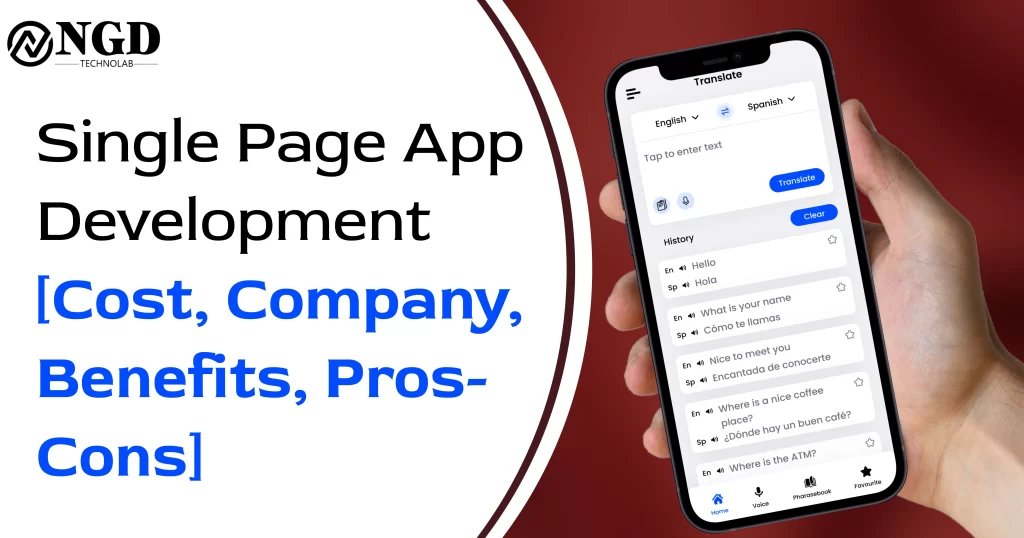
    Single Page App Development: Cost, Companies, Benefits & Pros-Cons

    Single Page App Development: Cost, Companies, Benefits & Pros-Cons Harshid Patel Edit Template In 2025, Single Page Applications (SPAs) continue to revolutionize web development, offering faster load times, seamless user experiences, and mobile-first designs. Businesses are rapidly adopting SPAs to enhance their digital presence and customer engagement. This guide explores the cost, top SPA development companies, benefits, and challenges of SPAs. Table of content Add a header to begin generating the table of contents Understanding Single Page App Development The cost of SPA development depends on multiple factors. Below, we explore different expenses and how businesses can budget effectively. 1. What is a Single Page Application (SPA)? 1.1 Definition & Core Concepts A Single Page Application (SPA) is a web app that loads a single HTML page and dynamically updates content without reloading. This enhances speed, interactivity, and overall user experience. 1.2 Evolution & Growth of SPAs SPAs have evolved from AJAX-powered applications to modern JavaScript frameworks like React.js, Angular, and Vue.js, driving interactive web experiences. 1.3 Key Technologies Powering SPAs Frontend frameworks such as React.js, Angular, and Vue.js play a crucial role in SPA development. APIs like GraphQL and REST APIs enable efficient server-side communication. Performance enhancements such as lazy loading, caching, and service workers further improve the functionality of SPAs. Also to read:-   Mobile App Design Trends for 2024: Crafting Tomorrow’s User Experience 2. Cost of Developing a Single-Page Application 2.1 Factors Affecting Development Cost SPA costs depend on app complexity, chosen framework, features, and customization level. Development can range from up to $100,000+, depending on requirements. 2.2 Cost Comparison: SPAs vs. Traditional Web Development SPAs require a higher initial investment but offer better long-term performance, whereas traditional websites have a lower upfront cost but are more dependent on server resources and may experience slower load times. 2.3 How to Reduce SPA Development Costs Using open-source frameworks like React.js or Vue.js, leveraging cloud hosting and CDNs for efficiency, and optimizing code with lazy loading and code splitting can help reduce development costs. 3. Best Single Page App Development Companies in 2025 3.1 Company A: Cutting-Edge SPA Solutions Company A specializes in custom, high-performance SPAs for businesses. 3.2 Company B: Industry-Specific SPA Development Company B provides tailored SPA solutions for e-commerce, fintech, and healthcare industries. 3.3 Company C: Global SPA Experts Company C is known for scalable SPA development with a global clientele. 4. Key Benefits of Single-Page Applications 4.1 Faster Load Time & Better Performance SPAs use asynchronous data loading, reducing server requests and improving performance. 4.2 Improved User Engagement & Experience SPAs provide a smooth, app-like experience without page reloads. Their interactive UI keeps users engaged for longer periods. 4.3 Mobile-First & Cross-Platform Compatibility SPAs are highly responsive and work seamlessly across mobile, tablet, and desktop devices. 5. Pros & Cons of SPAs: Should You Build One? 5.1 Pros of SPAs SPAs offer speed and performance advantages by eliminating page reloads and supporting dynamic content updates. They provide seamless interactions similar to mobile apps and reduce server load by efficiently fetching data. 5.2 Challenges of SPAs Despite their advantages, SPAs have some challenges, such as SEO limitations due to JavaScript-heavy content, increased initial load time due to large JavaScript bundles, and complex debugging processes arising from advanced client-side logic. 6. How to Optimize SPAs for SEO in 2025 6.1 Server-Side Rendering (SSR) & Pre-Rendering Using SSR frameworks like Next.js enhances indexing, while pre-rendering pages improves Google’s ability to crawl SPAs. 6.2 Using Lazy Loading & Code Splitting Loading JavaScript in parts reduces page weight and fetches resources only when needed, improving performance. 6.3 Enhancing SEO Visibility with Google’s Best Practices Implementing structured data markup enhances search engine rankings, while optimizing meta tags and titles ensures better indexing. 7. Maximizing ROI with SPA Development 7.1 Measuring Success Metrics for Your SPA Tracking user engagement rates, page load times, and conversion rates helps businesses assess SPA performance. 7.2 Business Growth with Scalable SPAs SPAs contribute to business growth by reducing bounce rates, increasing session times, and enhancing customer retention. 7.3 Real-World SPA Success Stories Several businesses in e-commerce, fintech, and SaaS have successfully implemented SPAs to improve user experience and efficiency. 8. Conclusion In 2025, Single-Page Applications remain a powerful strategy for modern businesses. While SPAs have SEO challenges, adopting best practices like SSR, lazy loading, and code optimization makes them a highly effective web development solution. 9. Frequently Asked Questions (FAQs 9.1 Are SPAs good for SEO in 2025? SPAs need SEO optimization techniques like SSR and structured data for better rankings. 9.2 How much does it cost to develop a Single Page App? Costs vary based on complexity but typically range from $5,000 to $100,000+. 9.3 Which industries benefit most from SPAs? E-commerce, fintech, SaaS, and healthcare industries thrive with SPAs due to their fast performance. 9.4 What are the key challenges of SPAs? SEO limitations, initial load time, and complex debugging are some of the key challenges. 9.5 How can businesses improve SPA speed and performance? Using lazy loading, code splitting, caching, and CDN services enhances SPA speed and performance. Get Free consultation and let us know about your custom web and Mobile App project idea Over 13+ years of work experience, we have built 210+ web and mobile apps We can help you with Dedicated Developer delivering high-quality development Custom Mobile App Development Innovative Solution For Startups and Enterprise Contact Us Edit Template Latest Blogs Explore the Latest Blogs on Trends and Technology. Common App Development Challenges and How to Overcome Them Read More Manual Testing vs Automated Testing: Which is Right for Your Project? Read More The Future of Super Apps: What You Need to Know Read More Edit Template

    Single Page App Development: Cost, Companies, Benefits & Pros-Cons Read More »

    how much does digital marketing cost blog image

    How Much Does Digital Marketing Cost? (2025)

    How Much Does Digital Marketing Cost? (2025) Harshid Patel Edit Template In the fast-changing world of digital marketing, businesses are always looking for ways to grow online. A common question is: How much does digital marketing cost? This guide breaks down key factors that impact costs in 2025 in a simple and easy-to-understand way. Table of content Add a header to begin generating the table of contents Understanding Digital Marketing Costs The cost of digital marketing depends on many factors. Below, we explore different expenses and how businesses can budget effectively. 1. Key Components of Digital Marketing Costs 1.1 Search Engine Optimization (SEO) SEO helps websites rank on Google and other search engines. Costs depend on competition and optimization needs. Investing in SEO leads to better online visibility. 1.2 Pay-Per-Click (PPC) Advertising PPC ads give immediate visibility. The cost depends on bidding prices, keywords, and target audiences. Platforms like Google Ads and Bing Ads play a major role in PPC marketing. 1.3 Social Media Marketing Social media ads on platforms like Facebook, Instagram, LinkedIn, and TikTok have different costs based on audience size and engagement levels. 1.4 Content Marketing Creating valuable content, such as blogs, videos, and infographics, plays a big role in digital marketing. Content marketing costs include writing, designing, and distributing high-quality content. 1.5 Email Marketing This is an affordable way to reach customers. Costs include email software subscriptions, automation tools, and professional email templates. 2. Factors That Impact Digital Marketing Costs 2.1 Industry & Competition Highly competitive industries often have higher costs for SEO, PPC, and content marketing. Analyzing competitors can help plan a better budget. 2.2 Geographic Targeting Targeting specific regions affects advertising costs. Local campaigns may be more affordable than national or global ones. 2.3 Advertising Platforms Each ad platform, including Google Ads, Facebook Ads, and TikTok Ads, has its pricing model. Choosing the right platform ensures cost-effectiveness. 2.4 Campaign Goals Marketing budgets vary based on goals like brand awareness, lead generation, or direct sales. A clear objective helps in better budget planning. 2.5 Seasonal Trends Digital marketing costs fluctuate throughout the year. Ad campaigns during peak seasons (like holidays) can be more expensive than in off-peak times. 3. Digital Marketing Cost Trends in 2025 More businesses are investing in AI-driven automation, influencer marketing, and voice search optimization. Keeping up with trends helps businesses spend wisely. Also to read:-   Bus Ticket Booking App Development: Features, Cost (2025) 4. Cost-Effective Digital Marketing Strategies 4.1 DIY vs. Professional Services Some businesses handle marketing on their own, while others hire agencies. Evaluating skills and resources helps in choosing the right approach. 4.2 Budget Planning Tips Spreading the budget across SEO, PPC, content, and social media marketing ensures balanced spending. 4.3 Performance Tracking & Optimization Monitoring campaign performance, analytics, and audience behavior improves ROI and lowers unnecessary expenses. 5. Case Studies: Digital Marketing Budgets Studying real-life examples of how businesses allocate marketing budgets provides useful insights. 6. Measuring Success & ROI in Digital Marketing Measuring digital marketing results requires tracking website traffic, conversion rates, and customer engagement using analytics tools. Conclusion Planning a digital marketing budget in 2025 requires smart strategies and continuous optimization. Businesses that stay informed about market trends can get better results at lower costs. Frequently Asked Questions 1. What is the average cost of SEO services in 2025? SEO services range from $500 to $5,000 per month, depending on industry competitiveness and website needs. 2. How does geographic targeting affect PPC costs? Local PPC campaigns are usually cheaper than international ones since the audience is more specific. 3. Can businesses market on social media without paid ads? Yes, businesses can grow their reach organically by sharing quality content, interacting with followers, and using SEO techniques. 4. Why is content quality important for digital marketing? High-quality content attracts more readers, improves SEO rankings, and builds trust with the audience. 5. How do businesses measure digital marketing success? Success is tracked using key performance indicators like website traffic, conversions, engagement rates, and return on investment (ROI). Get Free consultation and let us know about your custom web and Mobile App project idea Over 13+ years of work experience, we have built 210+ web and mobile apps We can help you with Dedicated Developer delivering high-quality development Custom Mobile App Development Innovative Solution For Startups and Enterprise Contact Us Edit Template Latest Blogs Explore the Latest Blogs on Trends and Technology. Common App Development Challenges and How to Overcome Them Read More Manual Testing vs Automated Testing: Which is Right for Your Project? Read More The Future of Super Apps: What You Need to Know Read More Edit Template

    How Much Does Digital Marketing Cost? (2025) Read More »

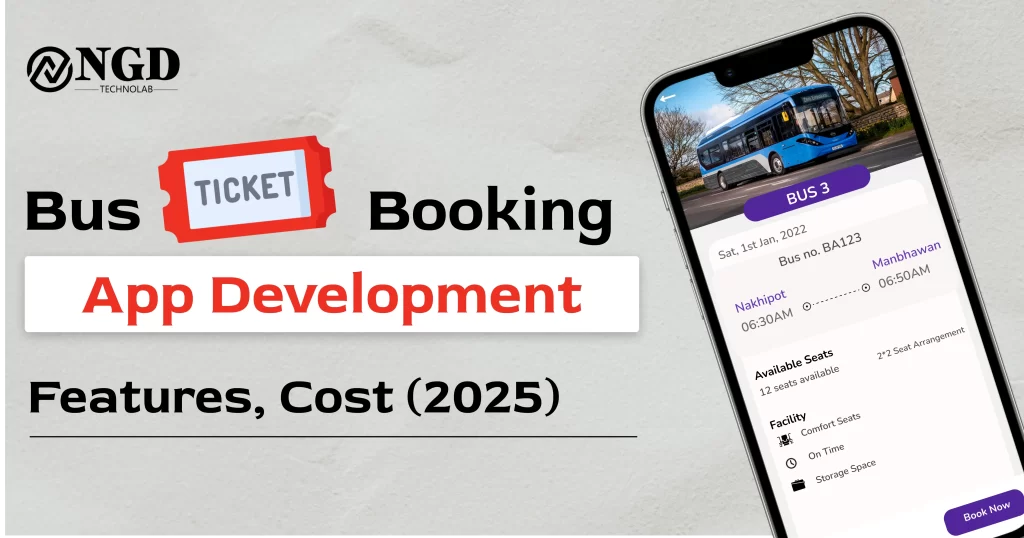
    Bus Ticket Booking App Development - Features & Cost 2025 | NGD Technolabs. A visually appealing image showcasing a modern bus booking mobile app interface on a smartphone screen. The app displays bus details, available seats, and booking options. NGD Technolabs branding is visible, highlighting expertise in developing bus reservation applications. Ideal for businesses looking to invest in a bus ticket booking system, online travel solutions, or transport app development in 2025.

    Bus Ticket Booking App Development: Features, Cost (2025)

    Bus Ticket Booking App Development: Features, Cost (2025) Prashant Padmani Edit Template In today’s fast-paced world, technology has revolutionized how we travel. One of the most significant advancements in transportation is the rise of bus ticket booking apps. These apps have transformed the traditional ticketing process, making travel more convenient and efficient. In this guide, we’ll explore everything you need to know about bus ticket booking app development, from essential features and cost factors to future trends in 2025. Table of content Add a header to begin generating the table of contents Android Studio: Unveiling the Power of Android App Development Over the past few years, the travel industry has shifted towards digital solutions, and bus ticket booking apps have become an essential tool for modern travelers. These apps eliminate the hassle of waiting in long queues and provide a seamless ticketing experience, allowing users to book their bus tickets in just a few clicks. Must-Have Features for a Bus Ticket Booking App User-Friendly Interface A well-designed app should have an intuitive layout, making it easy for users to search routes, select seats, and make payments effortlessly. Real-Time Bus Tracking Live tracking provides users with accurate bus location updates, estimated arrival times, and potential delays, enhancing their travel experience. Secure Payment Options Trust is essential for online transactions. The app should support multiple payment gateways with top-notch security to ensure smooth and safe transactions. Multi-Language Support To reach a wider audience, incorporating multiple language options makes the app accessible to users from different linguistic backgrounds. Integration with Other Travel Services Enhance user convenience by integrating the app with other transport modes like trains, taxis, or ride-sharing services. Push Notifications Send users timely updates on bus schedules, booking confirmations, discounts, and alerts about travel disruptions. Development Process: From Idea to Launch Market Research Understanding user needs, analyzing competitors, and identifying trends are crucial steps before starting the development process. Choosing the Right Development Team Hiring skilled developers ensures the app is built with the latest technologies and offers a smooth user experience. UI/UX Design A visually appealing and easy-to-navigate interface is key to user satisfaction and retention. Backend Development & Database Integration A strong backend ensures smooth app performance, while a well-structured database manages user data, bookings, and transactions efficiently. Testing & Quality Assurance Thorough testing eliminates bugs and ensures the app runs seamlessly across different devices and operating systems. Launch & Marketing Strategy A well-planned launch, combined with digital marketing campaigns, helps attract a larger user base and gain traction in the market. 4. Cost Breakdown of Bus Ticket Booking App Development (2025) Development & Design Costs Hiring experienced developers and designers incurs initial costs but ensures a high-quality app. Maintenance & Updates Regular updates, bug fixes, and feature enhancements require ongoing investment to keep the app running smoothly. Marketing & User Acquisition Promoting the app through digital marketing, SEO, and social media campaigns helps boost downloads and engagement. Server & Hosting Costs Reliable hosting services are necessary for app performance and scalability as the user base grows. Legal Compliance Ensuring the app follows regulatory guidelines avoids legal issues and enhances user trust. Also to read:-   Mobile App Design Trends Crafting Tomorrow’s User Experience Case Studies: Successful Bus Ticket Booking Apps Learning from User Feedback Analyzing customer reviews of popular apps helps identify what users love and areas that need improvement. Addressing Common Challenges Understanding the hurdles faced by other apps allows developers to build better solutions and avoid common pitfalls.To start building with Ionic, install the Ionic CLI, create a new project, and choose from a range of starter templates. Ionic’s integration with Angular provides a robust structure for app development. The platform’s adaptive styling ensures a consistent look and feel across devices. Future Trends in Bus Ticket Booking Apps (2025 & Beyond) Augmented Reality (AR) Integration AR features can enhance the travel experience by providing virtual bus tours, seat previews, and interactive navigation. AI-Powered Personalization Artificial Intelligence can analyze user preferences and suggest personalized travel routes and deals. Sustainable Travel Features With increasing environmental concerns, integrating features like carbon footprint tracking and eco-friendly travel options can attract conscious travelers. Conclusion Developing a successful bus ticket booking app requires careful planning, the right technology, and a user-focused approach. As technology evolves, staying ahead of emerging trends will be key to building innovative and future-ready solutions. By incorporating essential features, ensuring top-notch security, and focusing on user convenience, businesses can create a game-changing travel experience for users worldwide. Frequently Asked Questions How do bus ticket booking apps improve travel convenience? These apps allow users to book tickets online, track buses in real time, and receive instant updates, eliminating the hassle of physical ticketing. What are the key features to look for in a bus ticket booking app? A user-friendly interface, real-time tracking, secure payments, multi-language support, and integration with other transport modes are crucial features. How much does it cost to develop a bus ticket booking app in 2025? Costs vary based on factors like app complexity, development team expertise, and marketing efforts. A detailed cost analysis is recommended before starting development. Why is market research important before developing a bus ticket booking app? Market research helps identify user needs, competition, and trends, ensuring the app meets industry demands and attracts users. How can bus ticket booking apps contribute to sustainable travel? These apps can promote green travel by offering carbon footprint tracking, eco-friendly bus options, and digital ticketing to reduce paper waste. Get Free consultation and let us know about your custom web and Mobile App project idea Over 13+ years of work experience, we have built 210+ web and mobile apps We can help you with Dedicated Developer delivering high-quality development Custom Mobile App Development Innovative Solution For Startups and Enterprise Contact Us Edit Template Latest Blogs Explore the Latest Blogs on Trends and Technology. Common App Development Challenges and How to Overcome Them Read More Manual Testing vs Automated Testing: Which is Right for Your Project?

    Bus Ticket Booking App Development: Features, Cost (2025) Read More »

    mobile app design trends for 2024: blog image

    Mobile App Design Trends for 2024: Crafting Tomorrow’s User Experience

    Mobile App Design Trends for 2024: Crafting Tomorrow’s User Experience Harshid Patel Edit Template In the ever-evolving landscape of technology, staying abreast of the latest mobile app design trends is paramount for developers and designers alike. As we approach 2024, the dynamic nature of the mobile app industry continues to shape user interactions, aesthetics, and functionality. In this comprehensive guide, we delve into the forefront of innovation, exploring the anticipated trends that will define mobile app design in the coming year. Join us on a journey through cutting-edge concepts, user-centric approaches, and the fusion of aesthetics with functionality. The Evolution of Mobile App Design As we embark on a journey into the future of mobile app design, it’s crucial to understand the roots of its evolution. From the simplistic interfaces of the early 2000s to the sophisticated and immersive designs of today, the trajectory has been marked by technological advancements and a deep understanding of user behavior. User-Centric Design: A Paradigm Shift In 2024, the user takes center stage in the design process. User-centric design goes beyond aesthetics; it’s about understanding the needs, preferences, and pain points of the end user. This shift in paradigm brings about a more intuitive and enjoyable app experience. Table of content Add a header to begin generating the table of contents Visual Delights: Aesthetics Redefined In the realm of mobile app design, aesthetics play a pivotal role. Beyond pleasing visuals, the aesthetic experience encompasses the overall feel of the app. From color schemes to typography, designers are pushing boundaries to create visually stunning and cohesive interfaces. Functionality Beyond Expectations While aesthetics draw users in, functionality is the glue that keeps them engaged. The year 2024 will witness a surge in apps that not only meet but exceed user expectations in terms of features and capabilities. Seamless Navigation: Guiding the User Journey Navigating through an app should be a seamless and intuitive experience. Designers are focusing on minimizing friction, ensuring users can effortlessly move through the app without unnecessary hurdles. The Rise of Augmented Reality (AR) in App Design As AR technology matures, its integration into mobile app design becomes more prevalent. From enhancing gaming experiences to revolutionizing retail, AR is set to redefine how users interact with apps in 2024. Personalization: Tailoring Experiences for Every User Gone are the days of one-size-fits-all design. Personalization takes the spotlight, offering users tailored experiences based on their preferences, behaviors, and demographics. Accessibility Matters: Inclusive Design Trends Designing for inclusivity is no longer an option—it’s a necessity. Mobile apps in 2024 will prioritize accessibility, ensuring that users of all abilities can navigate and engage with the app seamlessly. Microinteractions: Elevating User Engagement Microinteractions are the subtle details that make a big difference in user engagement. In 2024, designers are paying meticulous attention to these small, yet impactful, moments within an app. Whether it’s a satisfying animation upon completing a task or a subtle sound effect, these microinteractions enhance the overall user experience, making interactions more enjoyable and memorable. Animation Trends: Bringing Apps to Life Dynamic and purposeful animations are at the forefront of app design trends for 2024. From loading screens to transitions between screens, animations are not just eye-catching but also serve a functional purpose, providing feedback, guiding users, and adding a layer of sophistication to the app’s visual appeal. Balancing aesthetics with functionality, designers are using animations to create a more immersive and engaging user journey. The Influence of 5G on App Design The widespread adoption of 5G technology is poised to revolutionize mobile app design. With significantly faster internet speeds and lower latency, designers can explore more data-intensive features, such as high-quality video streaming, augmented reality experiences, and real-time collaboration within apps. The challenge lies in optimizing designs to leverage the full potential of 5G while ensuring backward compatibility for users on slower networks. Also to read:-   Dedicated Development Team for Mobile and Web Solutions Dark Mode Dominance: Aesthetic and Practical Benefits Dark mode has evolved from being a trendy feature to a staple in mobile app design. Beyond the aesthetic appeal, dark mode offers practical benefits such as reduced eye strain and improved battery life, especially on devices with OLED screens. In 2024, designers are experimenting with dark mode variations, allowing users to customize the intensity and color palette to suit their preferences.While digital transformation brings numerous benefits, it also poses challenges such as cybersecurity threats, the need for upskilling the workforce, and integration complexities. Addressing these challenges head-on is crucial to ensuring a seamless transition to a digitally empowered logistics landscape. Gamification in Mobile Apps: Beyond Entertainment Gamification extends beyond the realm of gaming apps, becoming a pervasive trend in various industries. By integrating game-like elements such as challenges, rewards, and progress tracking, designers aim to boost user engagement and retention. In 2024, expect to see gamification applied to education, fitness, productivity, and other non-traditional domains, transforming routine tasks into enjoyable and motivating experiences. Future-Proofing Designs: Scalability and Adaptability As technology evolves, so do user expectations. Future-proofing designs involves creating flexible and scalable interfaces that can seamlessly adapt to new devices, screen sizes, and emerging technologies. Designers in 2024 are prioritizing modular design principles, ensuring that app interfaces remain visually appealing and functional across a spectrum of devices, from smartphones to smartwatches and beyond. Challenges and Solutions in Mobile App Design While exploring the exciting trends of 2024, it’s crucial to acknowledge the challenges that designers face. Balancing aesthetics with functionality, ensuring optimal performance on various devices, and addressing security concerns are ongoing challenges. However, with advancements in design tools, collaboration platforms, and a robust user feedback loop, designers can overcome these challenges and deliver exceptional app experiences. By delving into these intricate details and emerging trends, mobile app designers can stay ahead of the curve, creating innovative and user-centric applications that define the digital landscape in 2024 and beyond. As we embrace the future of mobile app design, the intersection of creativity, technology, and user empathy will continue to shape remarkable

    Mobile App Design Trends for 2024: Crafting Tomorrow’s User Experience Read More »

    dedicated development team blog image

    Dedicated Development Team for Mobile and Web Solutions

    Dedicated Development Team for Mobile and Web Solutions Prashant Padmani Edit Template In the ever-evolving landscape of technology, businesses seek robust solutions to establish their digital presence. A crucial aspect is the development of mobile and web solutions that cater to the dynamic needs of users. This blog explores the significance of a dedicated development team in crafting efficient and tailored solutions for both mobile and web platforms. Embark on this journey with us as we delve into the intricacies of building a successful digital presence. Table of content Add a header to begin generating the table of contents The Evolution of Mobile and Web Solutions The technological landscape has witnessed a revolutionary transformation with the advent of mobile and web solutions. Businesses are now more reliant than ever on these platforms to connect with their audience. The evolution of these solutions has been swift, and a dedicated development team is crucial to staying ahead in this competitive arena. Benefits of a Dedicated Development Team Having a dedicated team brings forth a myriad of advantages. These include streamlined communication, specialized expertise, and a focused approach to problem-solving. The team’s collective knowledge ensures the creation of robust, scalable, and user-friendly mobile and web solutions. Key Considerations in Team Formation Forming the right development team is paramount. It involves a careful selection of individuals with diverse skill sets, ensuring a comprehensive approach to project development. From UI/UX designers to backend developers, each role plays a vital part in delivering a seamless user experience. Agile Development Methodology Agile methodology has emerged as a game-changer in the realm of software development. Its iterative approach, quick adaptability, and customer-centric focus make it an ideal choice for mobile and web solutions. A dedicated team well-versed in Agile practices ensures a flexible and responsive development process. Case Studies: Success Stories of Dedicated Development Teams Real-world examples underscore the impact of dedicated development teams. Examining successful case studies provides insights into how businesses have overcome challenges and achieved milestones through the expertise of their dedicated development teams. Also to read:-   Best Practices for Optimizing User Experience (UX) Design Challenges and Solutions in Mobile and Web Development Despite the benefits, challenges in mobile and web development are inevitable. This section explores common hurdles and outlines effective solutions. A dedicated development team is well-equipped to navigate through complexities, ensuring a smooth development process. Future Trends in Mobile and Web Solutions The future of mobile and web solutions holds exciting possibilities. From the integration of artificial intelligence to the rise of progressive web apps, staying abreast of these trends is crucial for any business. A dedicated development team acts as a driving force in incorporating these innovations.” Conclusion In conclusion, the role of a dedicated development team in shaping mobile and web solutions cannot be overstated. The synergy of specialized skills, agile methodologies, and a forward-thinking approach positions businesses for success in the digital realm. Embrace the power of a dedicated team to unlock the full potential of your mobile and web solutions. Frequently Asked Questions Why is a dedicated development team essential for mobile and web solutions?  A dedicated development team ensures streamlined communication, specialized expertise, and a focused approach to problem-solving, resulting in robust and user-friendly solutions. How does Agile methodology benefit mobile and web development? Agile methodology’s iterative approach and customer-centric focus enable quick adaptability, ensuring a flexible and responsive development process. What challenges may arise in mobile and web development, and how can a dedicated team address them? Challenges may include complexity and technical hurdles, but a dedicated team is well-equipped to navigate through such issues, ensuring a smooth development process. How can businesses stay ahead of future trends in mobile and web solutions?  By embracing a dedicated development team, businesses can tap into the team’s expertise to incorporate future trends, such as AI integration and progressive web apps. Can a dedicated development team cater to the specific needs of my business? Yes, a well-structured dedicated development team can be tailored to meet the specific requirements of your business, ensuring a customized and effective solution. Get Free consultation and let us know about your custom web and Mobile App project idea Over 13+ years of work experience, we have built 210+ web and mobile apps We can help you with Dedicated Developer delivering high-quality development Custom Mobile App Development Innovative Solution For Startups and Enterprise Contact Us Edit Template Latest Blogs Explore the Latest Blogs on Trends and Technology. Mobile App Design Trends for 2024: Crafting Tomorrow’s User Experience Read More Dedicated Development Team for Mobile and Web Solutions Read More Best Practices for Optimizing User Experience (UX) Design Read More Edit Template

    Dedicated Development Team for Mobile and Web Solutions Read More »

    Scroll to Top