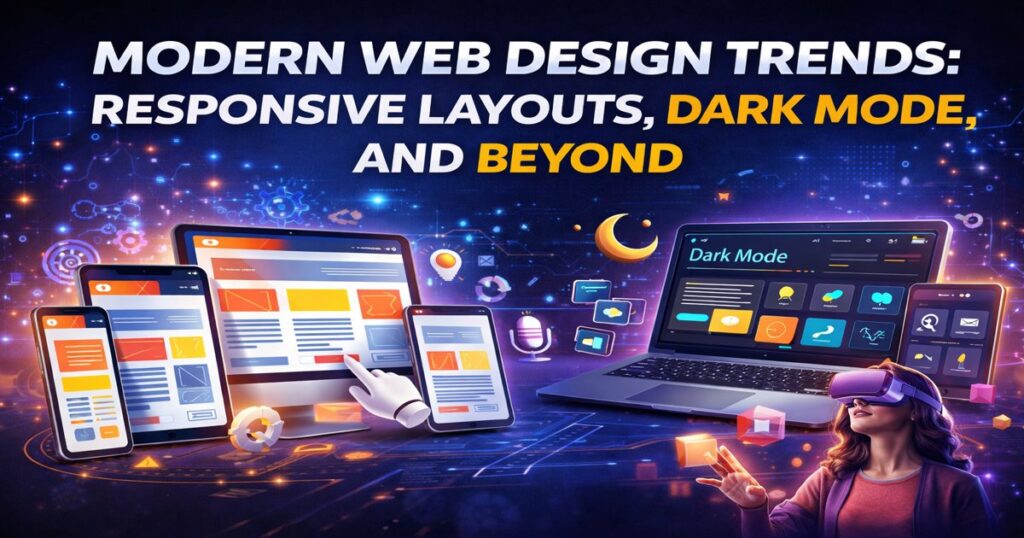
Modern Web Design Trends: Responsive Layouts, Dark Mode, and Beyond
Modern Web Design Trends: Responsive Layouts, Dark Mode, and Beyond Harshid Patel Edit Template Web design in 2026 is evolving rapidly as user expectations continue to grow. A website is no longer just about looks — it is about performance, usability, and delivering a seamless experience across all devices. Users expect fast-loading pages, intuitive navigation, and visually appealing interfaces whether they are browsing on mobile, tablet, or desktop. Businesses that fail to meet these expectations risk losing users within seconds. Modern web design trends like responsive layouts, dark mode, and advanced UI/UX techniques are helping businesses create engaging and user-friendly websites. Table of content Add a header to begin generating the table of contents 1. Android Studio: Unveiling the Power of Android App Development 1. Why Web Design Matters More in 2026 Websites play a critical role in shaping first impressions and driving conversions. 1.1 First Impressions Count Users form an opinion about your website within seconds. A modern, clean design builds trust and credibility. 1.2 Mobile-First Users Most users now browse websites on mobile devices, making responsive design essential. 1.3 Impact on Conversions Better design leads to higher engagement, lower bounce rates, and improved conversion rates. 2. Responsive Web Design Responsive design ensures your website works seamlessly across all screen sizes and devices. 2.1 What is Responsive Design It is an approach where layouts automatically adjust based on screen size, resolution, and orientation. 2.2 Key Benefits Responsive websites provide consistent user experience, improve accessibility, and reduce the need for separate mobile versions. 2.3 Best Practices Use flexible grids, scalable images, and media queries to ensure smooth responsiveness across devices. 3. Emerging Web Design Trends 3.1 Minimalist Design Clean layouts with fewer elements help users focus on important content and improve readability. 3.2 Microinteractions Small animations and feedback elements enhance user engagement and make interfaces feel more interactive. 3.3 AI-Powered Design AI tools are helping automate design processes, personalize layouts, and improve user experience. 3.4 Voice User Interface (VUI) Voice-based interactions are becoming more common, allowing users to navigate websites using voice commands. 3.5 3D Elements and Animations Advanced visuals and animations create immersive experiences and make websites more engaging. 4. Performance and Speed Optimization A fast website is essential for user satisfaction and SEO. Importance of Speed Slow-loading websites lead to higher bounce rates and lost conversions. Optimization Techniques Use image compression, lazy loading, and efficient coding practices to improve performance. Core Web Vitals Google prioritizes performance metrics like loading speed, interactivity, and visual stability. Also to read:- Boosting E-commerce Sales with AI-Powered Personalization Accessibility and Inclusivity Modern websites must be accessible to all users, including those with disabilities. Why Accessibility Matters Inclusive design ensures everyone can use your website effectively. Key Practices Use proper color contrast, keyboard navigation, and screen reader support. Legal and SEO Benefits Accessible websites not only comply with regulations but also perform better in search rankings. Choosing the Right Design Approach Focus on User Experience Design should prioritize usability and ease of navigation. Keep It Simple Avoid clutter and focus on delivering clear and meaningful content. Test and Improve Regular testing and user feedback help refine design and improve performance. Stay Updated Web design trends evolve quickly, so staying updated is essential for long-term success. Conclusion In 2026, modern web design is about more than just aesthetics — it is about creating fast, responsive, and user-friendly digital experiences. Trends like responsive layouts, dark mode, and advanced UI techniques are shaping how users interact with websites. Businesses that adopt these trends can improve engagement, build trust, and increase conversions. Investing in modern web design is essential for staying competitive in today’s digital landscape. Frequently Asked Questions What is responsive web design? Responsive web design ensures websites adapt to different screen sizes and devices for a seamless user experience. Why is dark mode important? Dark mode reduces eye strain, saves battery, and provides a modern look for users. How does web design impact SEO? Good design improves user experience, page speed, and engagement, which positively affects SEO rankings. What are the latest web design trends in 2026? Responsive design, dark mode, AI-powered design, microinteractions, and 3D visuals are key trends. Is mobile-first design necessary? Yes. With most users browsing on mobile, designing for mobile first is essential. Get Free consultation and let us know about your custom web and Mobile App project idea Over 14+ years of work experience, we have built 210+ web and mobile apps We can help you with Dedicated Developer delivering high-quality development Custom Mobile App Development Innovative Solution For Startups and Enterprise Contact Us Edit Template Latest Blogs Explore the Latest Blogs on Trends and Technology. Modern Web Design Trends: Responsive Layouts, Dark Mode, and Beyond Read More Boosting E-commerce Sales with AI-Powered Personalization Read More Top AI & Machine Learning Tools for Enhancing Customer Experience in 2026 Read More Edit Template
Modern Web Design Trends: Responsive Layouts, Dark Mode, and Beyond Read More »