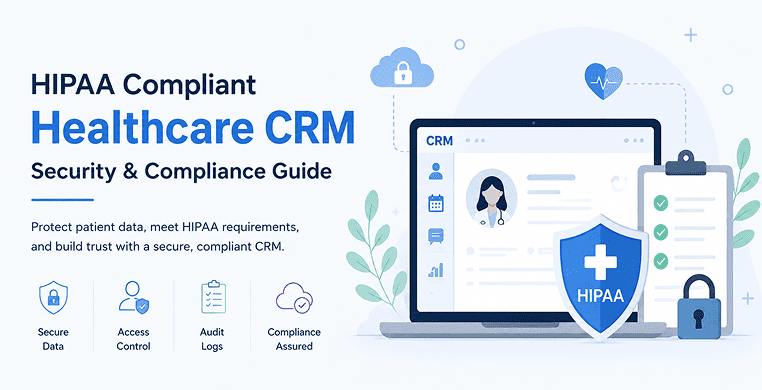
A healthcare CRM touches some of the most sensitive information a patient owns: their name, their diagnosis history, their appointment schedule, sometimes even the reason they called last Tuesday. That makes healthcare CRM security a legal requirement, not a nice-to-have feature.
If your organization creates, stores or transmits Protected Health Information (PHI) through a CRM, HIPAA applies to that system the same way it applies to your electronic health record (EHR). This guide walks through what a HIPAA-compliant CRM actually requires, the technical safeguards regulators expect and how to evaluate a platform before you sign a contract.
What Makes a CRM HIPAA Compliant?
A HIPAA-compliant CRM is a customer relationship management platform configured, contracted, and operated in a way that meets the requirements of the HIPAA Privacy Rule, Security Rule and Breach Notification Rule.
There’s no certification badge that makes a CRM “HIPAA compliant” out of the box — compliance is a combination of the software’s technical capabilities, how your organization configures it and the legal agreements you put in place with the vendor.
CRM vs. EHR: Two Different Jobs
It helps to separate the two systems clearly, because search engines and AI assistants alike get asked this question constantly.
An Electronic Health Record (EHR), like Epic or Cerner, is the clinical system of record. It holds diagnoses, treatment plans, lab results and physician notes.
A healthcare CRM is the patient engagement layer. It handles appointment scheduling, intake forms, referral tracking and two-way messaging with patients.
The two systems typically connect through HL7 FHIR APIs, so a CRM can pull relevant scheduling or contact information from the EHR without duplicating full clinical records. Keeping that boundary clean — CRM for engagement, EHR for clinical data — reduces the amount of PHI exposed in any one system and simplifies your compliance footprint.
The Legal Foundation: Business Associate Agreements
Before any PHI flows into a CRM, HIPAA requires a signed Business Associate Agreement (BAA) between the covered entity (the hospital, clinic, or practice) and the business associate (the CRM vendor). The BAA legally obligates the vendor to protect PHI, report breaches, and limit how it uses patient data.
This is where many organizations get tripped up. Popular platforms like Salesforce and HubSpot can technically support HIPAA compliance, but only on specific enterprise-tier plans and only after a BAA is executed and the environment is configured correctly — access restrictions applied, third-party tracking scripts disabled and encryption enabled. Signing up for a standard subscription and entering patient data does not make the platform compliant.
Core Technical Safeguards a Healthcare CRM Needs
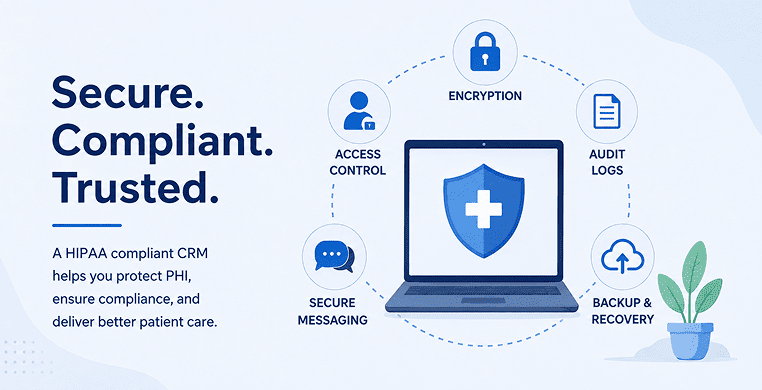
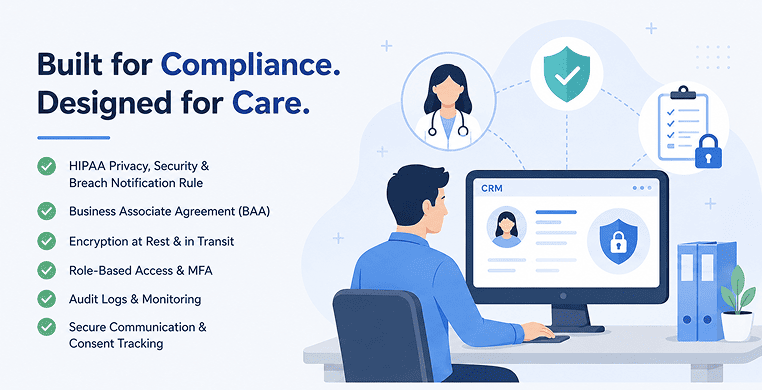
HIPAA’s Security Rule, codified at 45 C.F.R. § 164.312, sets out the technical controls a system handling PHI must have. In practice, that translates into five things a healthcare CRM should demonstrate.
- Encryption at rest and in transit: Patient data stored in the database should use strong encryption (commonly AES-256) and data moving between the CRM, integrated systems and end users should be protected with TLS. Under the current Security Rule, encryption is technically an “addressable” specification rather than a flat mandate, meaning organizations can use an equivalent alternative if they document why — but in practice, nearly every credible healthcare CRM vendor treats encryption as non-negotiable.
- Role-based access control: Staff should only see the patient information necessary for their job. A front-desk scheduler doesn’t need visibility into a patient’s full communication history with a case manager. Multi-factor authentication and single sign-on further reduce the risk of a compromised login exposing PHI.
- Audit logging: Every access, edit and export of PHI needs to be recorded in a tamper-resistant log, showing who did what and when. This isn’t just a security nicety — it’s a specific requirement under the audit controls standard and it’s often the first thing OCR investigators ask to see after a reported incident.
- Secure patient communication and consent tracking: Two-way SMS, email and patient portal messages need to be encrypted and patients need a documented way to consent to — or opt out of — electronic communication.
- Session controls and disaster recovery: Automatic logoff after inactivity, remote wipe capability for lost devices and a documented contingency plan for restoring data after an outage or attack round out the baseline expectations.
Where the HIPAA Security Rule Is Headed
It’s worth knowing the current status of federal rulemaking here, because a lot of content on this topic is out of date.
In January 2025, HHS’s Office for Civil Rights proposed sweeping changes to the Security Rule that would eliminate the “addressable” designation entirely, making encryption, multi-factor authentication, network segmentation and a shortened breach-notification window to HHS mandatory for every covered entity and business associate.
As of mid-2026, that rule has not been finalized — federal timelines have slipped from an original spring 2026 target to a projected mid-2027 release, following pushback from major hospital systems and provider associations.
Until a final rule is published, organizations are still legally held to the existing Security Rule, though building toward the proposed standards now is a reasonable way to avoid a scramble later.
What hasn’t changed is the Breach Notification Rule: breaches affecting 500 or more individuals must still be reported to HHS and in most cases, to the media, within 60 days of discovery.
Penalties for violations are adjusted annually for inflation and as of the 2026 figures, range from roughly $145 per violation at the lowest tier to more than $2 million per violation category annually at the top tier for uncorrected willful neglect.
Choosing a Platform: Generic, Healthcare-Native, or Custom
Organizations generally choose between three paths.
- Configuring a generic enterprise CRM like Salesforce Health Cloud or HubSpot gives you flexibility and familiar tooling, but the compliance burden falls entirely on your team — enterprise-tier licensing, a signed BAA and careful configuration are all required and total setup costs can run well into six figures for larger deployments.
- Healthcare-native CRMs, such as Tellescope or Creatio, arrive with compliance architecture and BAAs largely pre-built, along with patient engagement workflows designed for clinical settings. This usually means a lower upfront lift and faster deployment, in exchange for less customization than a fully bespoke system.
- Custom-built CRMs offer full control over workflow design and direct EHR integration, but require compliance controls to be engineered in from the first development sprint, which typically adds meaningfully to build cost and timeline compared to a standard software project.
There isn’t a universally “best” option — the right choice depends on how specialized your workflows are, how quickly you need to launch, and how much engineering capacity your organization has.
AI Features Introduce New Risk
Healthcare CRMs increasingly offer AI-powered chatbots, automated appointment routing and AI-assisted note summarization. These features are useful but sending PHI to a public, multi-tenant AI model — one that might use inputs for training — is a compliance risk.
Look for vendors that isolate AI processing inside a private, access-controlled environment where patient data isn’t retained for model training and that keep a human reviewing AI-generated patient communications rather than sending them out unchecked.
A Practical Vendor Evaluation Checklist
Before signing with any healthcare CRM vendor, confirm:
- A BAA is available and will be executed before any PHI is entered into the system
- The vendor can produce a recent SOC 2 Type II report or equivalent independent security audit
- Encryption is enabled by default for data at rest and in transit
- Role-based access controls and MFA are configurable, not optional add-ons
- Audit logs are retained, tamper-resistant and exportable for investigations
- The vendor has a documented breach notification process aligned with the 60-day HIPAA timeline
- EHR integration uses HL7 FHIR or an equivalent standard rather than manual data transfer
- Any AI features process data in an isolated environment, not a shared public model
Loved What You Just Read?
Let's Build Something Just as Great — For Your Business.
From web & mobile apps to UI/UX, AI solutions, and digital marketing — NGD Technolab turns ideas into scalable, real-world products. 14+ years, 550+ projects, one team you can rely on.
A vendor that can’t answer these questions clearly and specifically isn’t ready for PHI, regardless of how polished the sales demo looks.
Compliance isn’t a feature you buy once — it’s a standard you verify continuously, through contract terms, configuration reviews and regular risk assessments.
Conclusion
Healthcare CRM compliance comes down to three things working together: a signed BAA, real technical safeguards and a platform choice that fits how much engineering capacity your team actually has.
Whether that ends up being a carefully configured Salesforce instance, a healthcare-native CRM or a custom build, the same test applies before you go live — can you show, in specific terms, exactly how patient data is protected? Answer that clearly, and the rest of the compliance program tends to fall into place around it.
Frequently Asked Questions
Is Salesforce HIPAA compliant?
Not automatically. Salesforce can support HIPAA compliance only on eligible products — mainly Health Cloud and the Enterprise editions of Sales or Service Cloud — once a Business Associate Agreement is signed and encryption, access controls and audit logging are configured correctly. Standard Sales Cloud, Marketing Cloud and Pardot generally aren’t BAA-eligible, so putting PHI into those tools would violate HIPAA even if the rest of the environment is locked down.
What is a Business Associate Agreement, and why does a healthcare CRM need one?
A Business Associate Agreement (BAA) is the legal contract between a healthcare provider and any vendor — including a CRM company — that creates, receives or transmits PHI on the provider’s behalf. HIPAA requires this agreement before any patient data enters the vendor’s system. It defines how the vendor must protect that data, report breaches and limit its use. Without a signed BAA, storing PHI in a CRM is a compliance violation regardless of how secure the platform itself is.
What happens if a healthcare CRM leaks PHI data?
A leak through a CRM triggers HIPAA’s breach notification rule: affected individuals and HHS must be notified within 60 days of discovery and media notification is also required if the breach affects 500 or more residents of a single state. Penalties vary by culpability, ranging from roughly $145 per violation for an unknowing lapse to more than $2 million per violation category annually for willful neglect that isn’t corrected.
What's the difference between an EHR and a healthcare CRM?
An EHR, such as Epic or Cerner, is the clinical system of record — it holds diagnoses, treatment plans and physician notes. A healthcare CRM is the patient engagement layer, managing scheduling, intake forms, referral tracking and two-way messaging. The two systems usually connect through HL7 FHIR integration, so the CRM can reference relevant patient details without duplicating the full clinical record.Timelines generally run 3–4 months for a basic MVP, 5–7 months for a mid-tier platform and 7–14 months for an advanced or AI-driven enterprise system. Aggressive timeline compression usually increases cost rather than reducing it.
Can AI chatbots in a healthcare CRM be HIPAA compliant?
Yes, but only under specific conditions. The AI processing needs to happen inside an isolated, access-controlled environment rather than a public, multi-tenant model and the vendor must confirm that patient data isn’t used to train shared models. The BAA should explicitly cover the AI feature and a human should still review AI-generated patient communications before they’re sent.