Quick Summary: What is an AI Phone Call?
The "Hello?" Moment: Are You Talking to a Robot?
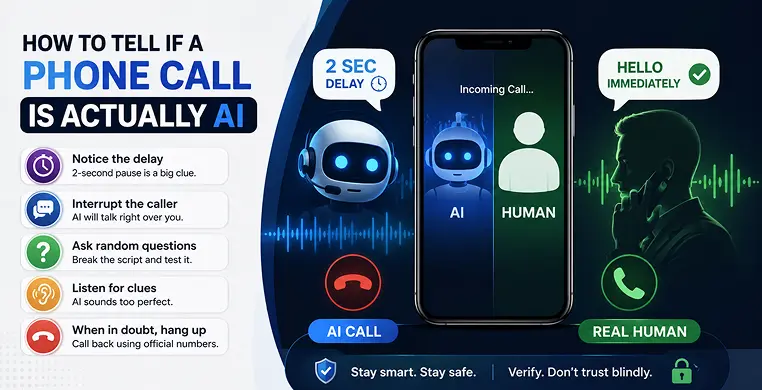
AI Phone Call vs. Real Human Call
Wondering what the exact difference is between a human and an AI on the phone? Take a look at this quick comparison table:
| AI Phone Call | Real Human Call |
|---|---|
| The Start: Always has a weird 2 to 3-second delay before speaking. | The Start: Says "Hello" immediately when the call connects. |
| Interruptions: Ignores you and keeps talking if you try to interrupt. | Interruptions: Stops talking and listens if you suddenly speak. |
| Background Noise: Usually perfectly quiet, almost unnatural. | Background Noise: You might hear typing, breathing, or office sounds. |
| Pacing: Speaks at a perfect, steady speed without stumbling. | Pacing: Uses filler words like "um" or changes speed naturally. |
| Emotion: Sounds a little too cheerful or completely flat. | Emotion: Matches your mood and reacts to what you are saying. |
Why Are We Getting So Many AI Phone Calls?
You might be wondering why companies and scammers are using AI instead of real people. Here are the main reasons:
- To Save Money: A computer can work 24/7 without getting paid.
- To Make Thousands of Calls: An AI system can call 10,000 people in one minute. A human can only call one.
- For Simple Reminders: Your dentist or delivery driver might use AI just to confirm an appointment or drop-off time.
- To Run Scams: Sadly, scammers use AI voices to pretend they are from the bank or the government to trick you into giving them money.
3 Common Types of AI Callers
Just like there are different types of software, there are different types of AI voices you might hear on the phone. Here is a quick look at what they do:
| AI Type | How It Works | Example |
|---|---|---|
| The Basic Robot | A simple computer voice reading a script. | A pharmacy calling to say your medicine is ready. |
| The Soundboard | A real human voice, but it plays pre-recorded clips based on what you say. | A telemarketer asking if you want to sell your house . |
| The Deepfake | An advanced AI that copies the exact voice of someone you know . | A scammer pretending to be your grandson asking for money. |
5 Clear Signs You Are Talking to AI
If you are ever unsure who is on the other end of the line, use this step-by-step checklist to find out.
The Advantages (Pros)
When you say hello, AI systems need a few seconds to process your voice and generate a reply. If there is a noticeable, dead silence right after you pick up, be on guard.
2. Try to Interrupt Them
This is the ultimate test. While the caller is talking, suddenly say, “Wait, hold on a second.” A real human will instantly stop talking. An AI will usually ignore you and finish its sentence before realizing you spoke.
3. Listen for Breathing and Background Noise
Real people take breaths between long sentences. They shift in their chairs. You might hear a dog bark faintly in the background. AI calls are usually recorded in a perfectly silent digital room. If it sounds too clean, it’s probably fake.
4. Ask a Random Question
AI is trained to stick to a script. If a caller is trying to sell you insurance, ask them something weird like, “What color is the sky today?” or “What day of the week is it?” A real person will be confused. An AI will either ignore the question, repeat its script, or hang up.
5. Watch Out for Local Names
Computers struggle with reading local town names or strange street names. If they pronounce your city in a very weird, robotic way, it is a huge red flag.
What To Do If You Spot an AI Call
If you realize you are talking to a machine, here is exactly what you should do to stay safe:
- Just Hang Up: You do not need to be polite to a computer. Simply end the call.
- Do Not Say “Yes”: Scammers sometimes record you saying “Yes” to use your voice to authorize fake charges.
- Block the Number: Go into your phone settings and block the number so they cannot call back.
- Never Share Personal Info: Never give out your address, bank details, or passwords, even if the voice sounds official.
Key Takeaways
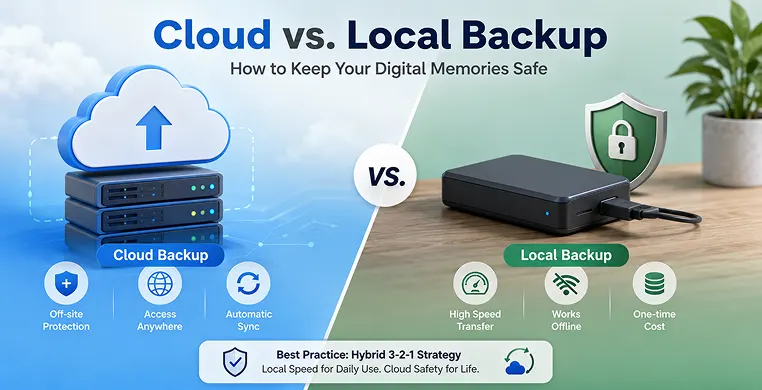
- Local Storage excels in pure data transfer speed, cost predictability, and offline independence, but lacks resilience against site-wide physical disasters.
- Cloud Storage provides automated, hands-off background execution and global data accessibility while securing files completely away from local physical threats.
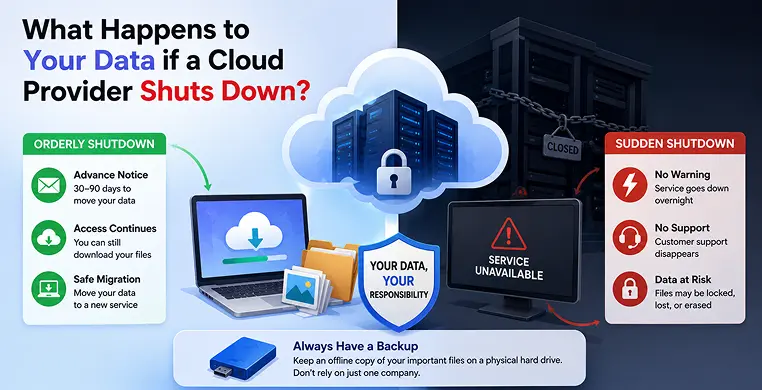
- A Single Backup Method creates an operational vulnerability; hardware failure or network loss can instantly cut off data access.
- The Best Practice is to implement a hybrid 3-2-1 strategy combining local speed for fast recovery with cloud backup for bulletproof data redundancy.
Conclusion
Technology is moving very fast, and AI voices are only going to get better. Someday soon, it might be nearly impossible to hear the difference between a computer and a real person just by the tone of their voice.
But remember, a machine does not have human instincts. It does not know how to handle random questions, and it cannot copy the natural, messy flow of a real conversation.
The next time your phone rings and something feels just a little bit strange, trust your gut feeling. You do not owe anyone on the phone your time or your manners. Keep these simple tricks in mind, test the caller if you are unsure, and never be afraid to just press the red “End Call” button. Your personal safety is always more important than being polite to a computer program!
Frequently Asked Questions
Can AI copy the voice of a real person?
Yes. This is called a “deepfake.” Scammers only need a 3-second video of someone talking (like from social media) to make an AI sound exactly like them.
Why do AI callers always want me to say "Yes"?
Some scammers want a recording of your voice saying the word “Yes.” They can then play that recording to a bank or credit card company to pretend you agreed to buy something.
Will a cloud backup slow down my computer or internet?
It depends on the purpose. Using AI to remind you of a doctor’s appointment is legal. Using AI to scam you or using fake AI voices to trick voters is illegal in many places.
Can I use an app on my phone to automatically block these AI calls?
Yes. You can download spam-blocking apps like Truecaller, Hiya, or RoboKiller. Both iPhone and Android also have built-in settings (like “Silence Unknown Callers”) that send numbers you don’t know straight to voicemail, keeping the robots off your screen.