Most app store rejection reasons come down to a few repeat mistakes: broken or unfinished builds, unclear privacy handling, wrong payment setups and weak design. The good news is that nearly all of them are easy to fix before you press submit.
If you are wondering why apps get rejected by app store reviewers, this guide walks through 12 common causes under Apple’s rules, with a simple fix for each one.
App Store Rejection Reasons: Why Do Apps Get Rejected?
Every rejection traces back to one specific rule in Apple’s review guidelines. Your build either did something the rules don’t allow, or it left out something they require. Reviewers use your build like a normal person would, so any crash, dead link or confusing screen can stop it.
The numbers show how common this is. Apple reviewed more than 9.1 million submissions in 2025 and turned away over 2 million of them. The upside is speed. Apple says about 90% of submissions get a decision in under 24 hours.
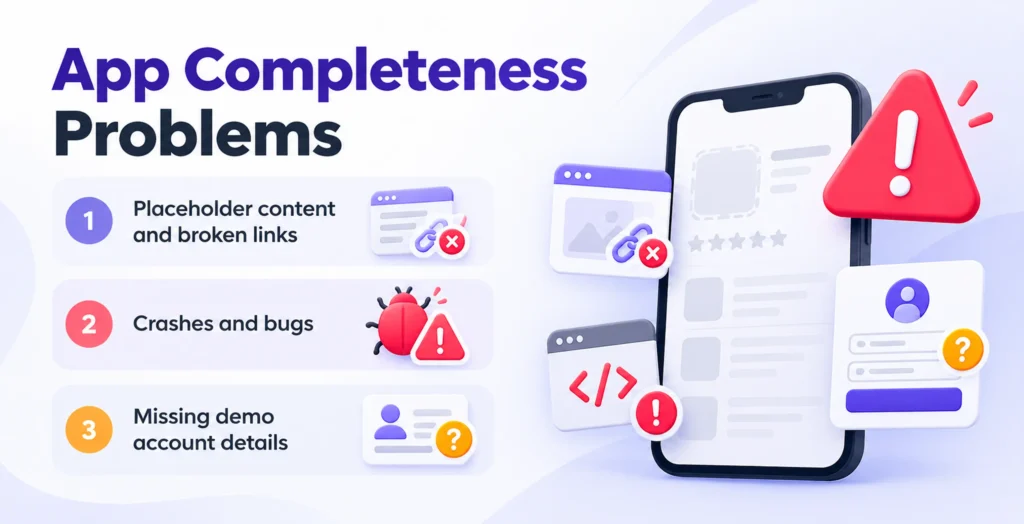
Reasons 1 to 3: App Completeness Problems (Guideline 2.1)
This rule causes the most trouble. Apple says over 40% of unresolved issues trace back to Guideline 2.1, app completeness. Three mistakes sit under it.
Lorem ipsum text, empty screens and dead buttons tell the reviewer your app is not ready. Read every screen once and tap every link before you submit.
An app that freezes or crashes on launch gets rejected fast. Test on real phones, not just the simulator and use TestFlight to catch problems early. Slow screens and memory leaks count too.
Apple expects a working demo account or demo mode if your app has login features, plus live backend services during review. Put the login details in the App Review notes field. Then check that the account still works on the day you submit.
Axios
Finish the app, test it on real devices, and hand the reviewer everything they need.
Reasons 4 and 5: App Store Metadata and Payment Mistakes
The app store metadata guidelines ask for honesty. Show the app as people will really see it. If a screenshot or a line of text promises something the app can’t do yet, reviewers will notice. Skip keyword stuffing in the title and subtitle as well.
Under the Apple in-app purchase guidelines, digital content and features are normally sold through StoreKit. Sending users to a third-party checkout for those items is a common cause of rejection. Confusing paywall wording, like hidden renewal terms, gets apps flagged too.
Rules on outside payment links have shifted in some regions. Check Apple’s latest rules for your region first and only then plan how users will pay.
Show the real app and charge the way Apple says to.
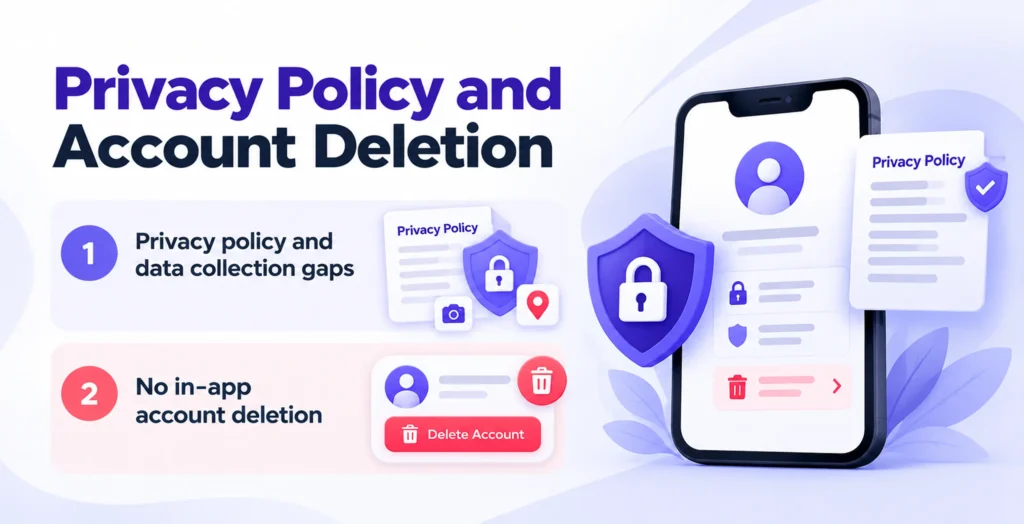
Reasons 6 and 7: Privacy Policy and Account Deletion
Apple takes privacy seriously, and the app store privacy policy requirements leave little room for shortcuts. You need a working privacy policy link and honest privacy labels. You also need a clear reason for each permission you ask for, such as camera or location. If you track users across other companies’ apps or sites, you must show the App Tracking Transparency (ATT) prompt.
Since June 30, 2022, any app that lets people create an account must also let them start deleting it inside the app. Make the option easy to find. A support email address is not a deletion feature. The option has to live inside the app itself.
Reasons 8 to 10: Design, Functionality and Login Rules
Tiny text, overlapping buttons and layouts that break on small screens, like the iPhone SE, can fail review. Follow Apple’s Human Interface Guidelines and test your screens at several sizes.
An app that simply wraps a website in a shell usually fails this test.Give people a reason to install it, like offline access, push alerts or features that use the phone’s camera or sensors.
If you offer Google or Facebook login, Apple also wants a privacy-friendly option that limits data collection. The easiest way to meet that rule is Sign in with Apple integration. Apps that only use their own account system are usually exempt.
Make the app feel native, and give users a private way to sign in.
Reasons 11 and 12: Spam Apps and User-Generated Content
Re-skinned templates, duplicate builds and thin apps are treated as spam under Guideline 4.3. Apple’s own report lists clones and spam apps among the submissions it rejects. If you run several similar apps, make each one clearly different and useful.
Apps with chat, comments or posting need safeguards. Apple’s guidelines say apps with user-generated content must include protections against abuse. In practice, that means content filtering, a way to report posts, a way to block users and visible contact details. Apple lists this under Guideline 1.2.
Before You Submit: A Checklist to Avoid App Store Rejection
Run through this list before every upload:
- Test on real devices through TestFlight.
- Remove all placeholder text and dead links.
- Add demo login details and keep the test backend live.
- Match screenshots and descriptions to the real app.
- Use StoreKit for digital purchases.
- Check your privacy policy, privacy labels and permission texts.
- Add in-app account deletion.
- Add Sign in with Apple if you offer other social logins.
- Add moderation tools if users can post.
Teams that skip this list often end up trying to hire an iOS developer to fix an app store rejection at the last minute. A short app store submission compliance audit before launch can save days.
A ten-minute checklist is cheaper than a week of back-and-forth.
Loved What You Just Read?
Let's Build Something Just as Great — For Your Business.
From web & mobile apps to UI/UX, AI solutions, and digital marketing — NGD Technolab turns ideas into scalable, real-world products. 14+ years, 550+ projects, one team you can rely on.
What Happens If Your App Gets Rejected by Apple?
Apple tells you which guideline you broke. Read the message, fix the problem and reply in App Store Connect if you need to explain a choice. Then you can resubmit the same app.
Apple’s usual turnaround is under a day, so a fixed build often gets a fast answer. If you disagree with a decision, you can appeal, but correcting the issue is almost always quicker.
Conclusion
Knowing these 12 app store rejection reasons turns the review process into a checklist instead of a guessing game. Test on real devices, be honest in your listing, protect user data and follow Apple’s payment and login rules.
Walk through the checklist above before your next upload. It is the simplest way to learn how to pass app store review on the first try.
Frequently Asked Questions
How long does app store review take after a rejection?
Most apps get a decision within a day or two and a fixed build usually moves at the same speed. Each rejection and resubmission cycle adds another round of waiting on top of the time you spend fixing the problem. A clean first submission is the best way to save time, so check the app store review process basics before you upload again.
Can you resubmit a rejected app to the App Store?
Yes. Fix the issue, then answer the reviewer in the Resolution Center, where you can also attach screenshots to show how the problem was solved. Uploading a new build sends it back to the start of the queue. If you still think the rejection was a mistake, you can appeal to the App Review Board with details on how your app follows the rules.
Why did Apple reject my app for a privacy policy issue?
The usual causes are a missing or broken privacy policy link, privacy labels that don’t match what the app really collects and vague permission messages. Make sure the policy opens inside the app and in App Store Connect. If you track users across other companies’ apps or sites, add the App Tracking Transparency prompt before you ask for any permission.
How do I fix a Guideline 2.1 app completeness rejection?
Start by reading the reviewer’s message to see which part failed. Then test the app on a real iPhone, remove all placeholder text and dead links, and fix any crashes. If your app has a login, give a working demo account in the App Review Information notes. Finally, keep your test server running until the review ends.
Why does Apple reject apps without Sign in with Apple?
Apple wants people to have a private way to sign in when an app offers other social logins, like Google or Facebook. Sign in with Apple integration is the simplest way to meet that rule, because it limits the data shared with you. Apps that only use their own account system are usually exempt, but check the current wording before you submit.