The smartest cloud migration strategies start with a simple idea: do not move everything the same way. You look at each application, pick one of six paths (the “6 Rs”), choose the cloud that fits your workloads and build a safe foundation before the first move. Rushing a “lift and shift” of your whole estate is the fastest way to a bigger bill.
This guide explains the 6 Rs in plain words, compares AWS, Azure and Google Cloud (GCP) and gives you a step-by-step plan.
Quick summary:
- Sort every app into one of the 6 Rs before you move anything
- Pick AWS, Azure or GCP by workload, not by hype
- Build a secure landing zone first
- Watch costs from day one
What Is a Cloud Migration Strategy?
A cloud migration approach is your plan for deciding which apps transfer to the cloud, where they go and how they get there. It covers cost, risk, timing and who does the work.
Cost is the part people underestimate. In Flexera’s 2026 State of the Cloud report, respondents estimated that 29% of their infrastructure and platform spending was wasted, the first rise in five years. Keep in mind that this is a survey estimate, not an audit. Even so, it shows why a plan matters.
The 6 Rs of Cloud Migration Explained
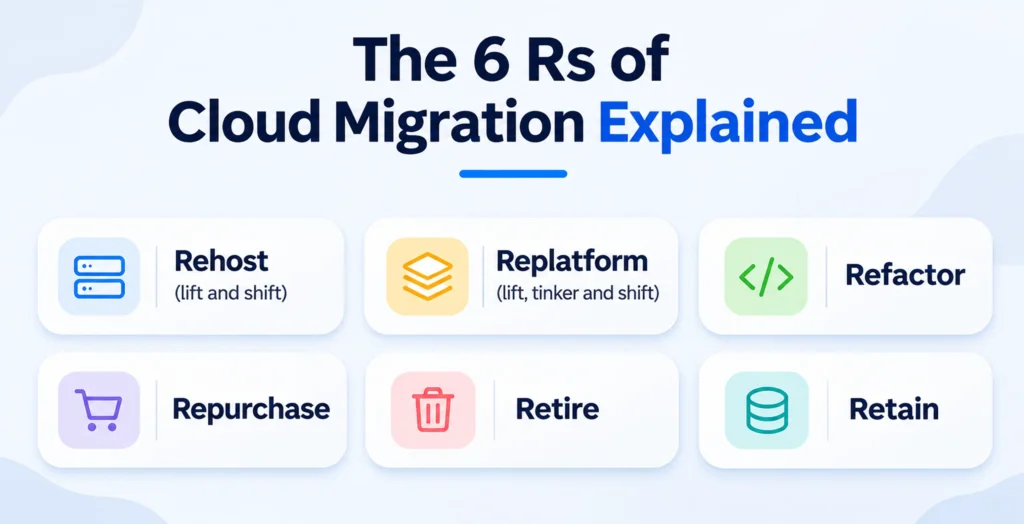
Think of moving house. You can carry everything across as is, swap a few pieces, rebuild from scratch, rent a furnished flat, throw out junk or stay put. Each is one of the 6 Rs:
- Rehost (lift and shift): Move the app as it is onto cloud servers. It is the fastest route, but it carries old problems with it.
- Replatform (lift, tinker and shift): Make small changes during the move, like swapping your self-managed database for a managed one.
- Refactor: Rebuild the app to use cloud-native tools like containers or serverless. It takes the most time and money, but it can pay off for core systems.
- Repurchase: Drop the old software and buy a SaaS product instead, like moving a homegrown CRM to Salesforce.
- Retire: Switch off apps nobody uses. Fewer apps means a smaller move and lower bills.
- Retain: Keep some apps where they are, often because of data rules or recent hardware spending.
AWS also lists a seventh R, relocate, for moving whole virtual environments with few changes.
| Path | Effort | Speed | Best when |
|---|---|---|---|
| Rehost | Low | Fast | You must leave a data center soon |
| Replatform | Medium | Medium | You want easy savings, like managed databases |
| Refactor | High | Slow | The app is critical and hits scaling limits |
| Repurchase | Medium | Medium | Good SaaS options exist |
| Retire | None | Fast | The app is unused |
| Retain | None | N/A | Rules or costs block a move |
AWS vs Azure vs GCP: Which Cloud Should You Choose?
All three can run almost any workload, so the choice comes down to fit. According to Synergy Research, worldwide shares in Q2 2026 were 28% for AWS, 20% for Microsoft and 15% for Google.
- AWS: The broadest range of services and a huge partner network. It fits large runs and teams that require the most choice.
- Azure: The natural pick if you already use Windows Server, SQL Server, Microsoft 365 and Entra ID. Licensing perks, like Azure Hybrid Benefit, can lower costs for those workloads
- GCP: Strong in data, analytics and AI, with tools like BigQuery, Vertex AI and Kubernetes. Multiple firms use it as a secondary cloud for data projects.
You do not have to choose only one. In Flexera’s 2026 survey, 83% of enterprises reported active workloads on AWS and 79% on Azure, which shows that many companies use several clouds.
Choose the cloud your team can run well, and let your biggest workload break any tie.
Cloud Adoption Frameworks and Landing Zones
Each suppliers offers a free guide for planning the move:
- AWS Cloud Adoption Framework: six perspectives: business, people, governance, platform, security and operations
- Azure Cloud Adoption Framework: stages like strategy, plan, ready, adopt, govern and manage
- Google Cloud Adoption Framework: four themes: learn, lead, scale and secure
You do not need to follow them word for word. Use them as checklists so nothing important gets skipped.
Before moving any app, build a landing zone. This is a ready-made, secure foundation in the cloud. It sets up separate accounts, identity and access rules, network layout, logging and guardrails. Most teams create it with Infrastructure as Code tools like Terraform, so every setup is repeatable.
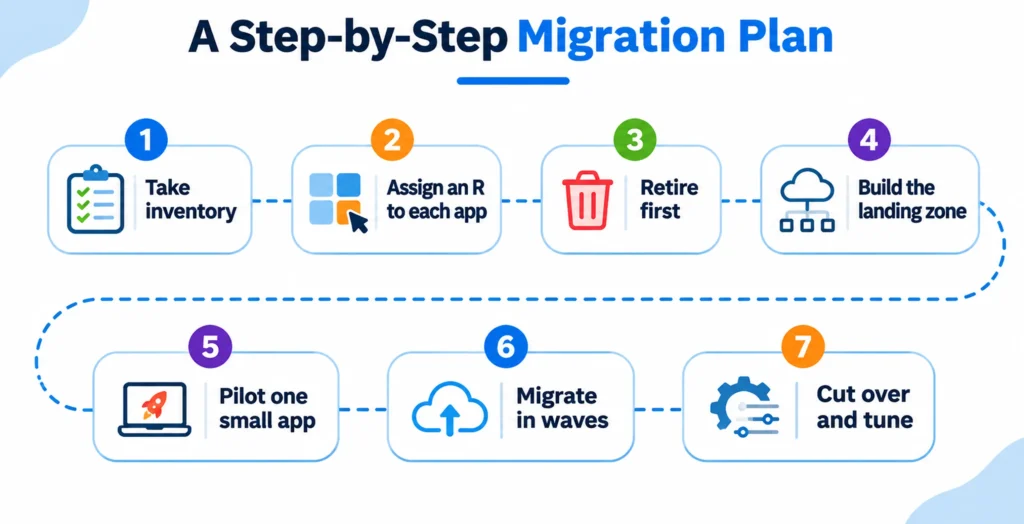
A Step-by-Step Migration Plan
1. Take inventory. List every app, its owner, its data and what it connects to. Discovery tools can map the links.
2. Assign an R to each app. Use the table above.
3. Retire first. Remove unused apps before you pay to move them.
4. Build the landing zone. Set up identity, networks, logging and budgets.
5. Pilot one small app. Learn from a low-risk move.
6. Migrate in waves. Use tools like AWS Application Migration Service, Azure Migrate or Google Cloud’s Migration Center to speed things up.
7. Cut over and tune. Test, switch users, then right-size and clean up.
Do not treat the move as the finish line. Plan for staff training too, since cloud tools change how teams work.
Loved What You Just Read?
Let's Build Something Just as Great — For Your Business.
From web & mobile apps to UI/UX, AI solutions, and digital marketing — NGD Technolab turns ideas into scalable, real-world products. 14+ years, 550+ projects, one team you can rely on.
How to Avoid Wasted Cloud Spend
Cost control is often called FinOps, which just means managing cloud money with the same care as any other budget. Start with these habits:
- Shut off servers nobody uses
- Right-size over-powered machines
- Tag each and every resource with an owner and a task
- Set budgets and alerts
- Use commitment discounts for steady workloads
That final point is where many teams fall. Flexera found that fewer than half of organizations use even one commitment discount per cloud provider and more than half still rely on on-demand pricing. Pay-as-you-go is flexible, but it is not always the cheapest way to run steady workloads.
When Not to Move
Certain apps should stay put, at least for now. Reasons include data residency rules, privacy laws like GDPR, India’s DPDP Act or HIPAA, deep ties to old mainframes or a hardware purchase that has years of life left. Review these apps every year, because rules and cloud options change.
Conclusion
Good cloud migration strategies are mostly about discipline. Sort your apps with the 6 Rs, pick the cloud that fits your workloads, build the landing zone first and watch costs from day one. Start small, learn fast and move in waves.
Frequently Asked Questions
Should I rehost or refactor first?
Rehost first when you face a hard deadline, like a data center lease ending and refactor later for the apps that matter most. Rehosting is the fastest route, but it keeps old problems, so costs can stay high. Refactoring takes more time and money, but it can cut long-term costs and help you scale. A common plan is to rehost most apps, replatform the easy wins and refactor only the critical ones.
How much does cloud migration cost?
There is no single price, because it depends on the number of apps, the amount of data, which of the 6 Rs you pick and how much training and testing you need. You also pay for running old and new systems side by side for a while. Do not forget the running costs after the move. Flexera’s 2026 report says public cloud budgets are overspent by about 17% on average. Ask two or three providers for quotes and build a buffer into your budget.
How long does a cloud migration take?
It ranges from weeks to years. A simple rehost of a few servers can take weeks. Replatforming often takes weeks to months, and refactoring a core system can run for many months. Large companies migrate in waves, starting with a small pilot and then moving groups of apps. Set your timeline after the app inventory, since you cannot estimate what you have not counted.
Is multi-cloud a good idea?
It can be, but merely with a clean reason. Many companies already use more than one provider. In Flexera’s 2026 survey, 83% of enterprises reported active workloads on AWS and 79% on Azure. Good reasons include using one cloud for Microsoft-heavy apps and another for data and AI or avoiding lock-in. The cost is extra complexity, more skills to hire and harder cost tracking. If you are new to the cloud, start with one provider.
What are the biggest cloud migration mistakes to avoid?
The most common mistakes are moving without an app inventory, lifting and shifting everything and skipping the landing zone. Teams also forget cost controls and staff training. When you rehost every app as is, old problems follow you and bills stay high. Flexera’s 2026 report found that respondents estimated 29% of their cloud spending was wasted. Avoid this by sorting each app with the 6 Rs, retiring unused ones first and setting budgets and alerts before launch. Also test security and backups early, so you do not find gaps after you go live.