It depends on who is building, how long the app must last and whether the public needs to find it. Use no-code for small internal tools that a business team builds on its own. Choose low-code for core business systems that IT needs to control.
Pick an AI code builder when you want a public product you fully own and that search engines can read.
This guide explains no-code or low-code development in plain words, with the real costs, the risks and a five-question checklist to help you decide.
Quick summary:
- No-code is fastest, but it can lock you in
- Low-code adds custom code and stronger controls
- AI code builders give you real code you own, but it needs review
- Public pages must be readable by search and AI crawlers
No-Code, Low-Code and AI Code Builders in Plain Words
Think about dinner. No-code is a meal kit: everything is pre-measured and you assemble it fast. Low-code is the same kit, with room to add your own spices when the recipe needs it. An AI code builder is a chef who writes you a full recipe from your description, and you get to keep the recipe.
| No-code | Low-code | AI code builder | |
|---|---|---|---|
| Who builds | Business users | IT and technical staff | Technical teams |
| How | Drag and drop | Drag and drop plus code | Plain-English prompts |
| Flexibility | Limited | High | Highest |
| Lock-in | Strong | Medium | Low |
| Best for | Simple internal tools | Core business systems | Public products |
Examples help. Airtable-style app builders sit in the no-code group. Microsoft Power Apps, OutSystems and Kissflow are common low-code picks. Bolt.new, v0 and Cursor are AI code tools that output standard code.
What the 2026 Numbers Really Say
You will see big claims online, so check what they mean. Gartner forecast that the low-code technologies market would reach $44.5 billion in 2026 and that 75% of new applications would be built with low-code tools by the end of that year. Notice the word “forecast.” These were predictions made years ago, not measured results.
Market size numbers also vary, with some sites quoting $52 billion or even $65 billion. The difference is scope. Gartner’s figure covers low-code application platforms, integration tools, citizen automation and RPA. Always ask what a number includes before you repeat it.
When No-Code Is the Right Call
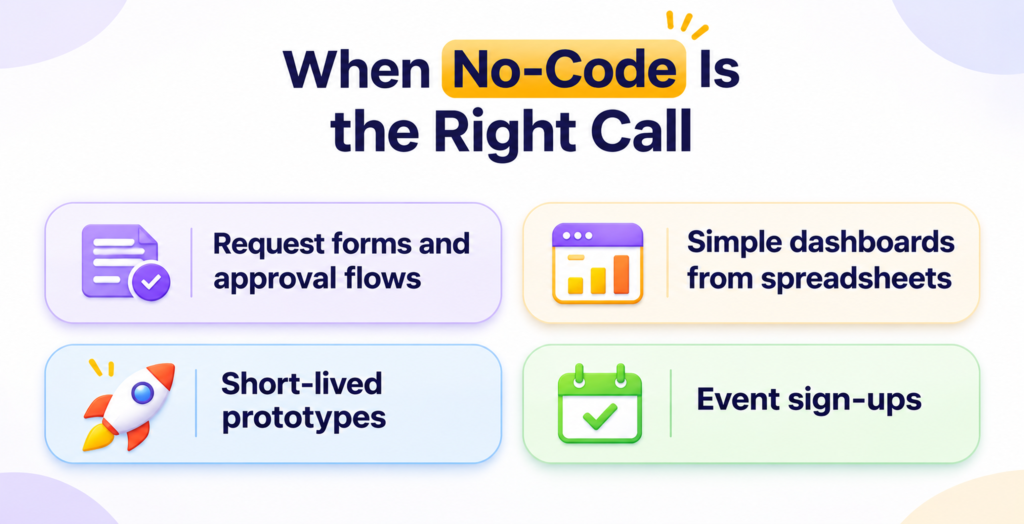
No-code works well when the job is small and the builders are not developers. Good fits include:
- Request forms and approval flows
- Simple dashboards from spreadsheets
- Short-lived prototypes
- Event sign-ups
Be careful with three limits. First, your app often runs only on the vendor’s platform, so moving later means rebuilding. Second, per-user fees can climb as more people join. Third, complex rules can hit the tool’s ceiling.
Choose no-code for small, low-risk tools and check how you can export your data before you commit.
When Low-Code Makes More Sense
Low-code gives you drag-and-drop speed plus the ability to add real code for hard parts. That helps when your app must talk to an ERP, handle complex rules or run for many years.
Governed platforms also add controls that matter to larger firms: role-based access, audit logs and safe test areas. These are important for finance, legal and customer data.
The big risk is shadow IT. That happens when many teams build apps on their own and nobody tracks the data or security. Citizen developers, meaning non-technical employees who build apps, can create real value. They still need rules.
A simple governance plan helps:
- Keep a list of every app and its owner
- Approve a few standard platforms
- Review any app that touches sensitive data
Choose low-code when IT must stay in control of important business systems.
Where AI Code Builders Fit
Tools like Bolt.new, v0 and Cursor turn plain-English prompts into normal code, such as React and Next.js. You can export it, store it in your own repository and host it anywhere. That means little lock-in.
The catch is quality. AI-written code can contain bugs and security gaps. Treat it like work from a new contractor: have a developer review it before real customers use it.
Choose an AI code builder when you want a public product you own, and you have someone to check the code.
Does Your Platform Choice Affect SEO and AI Search?
For public pages, yes. Rendering is the key word. With client-side rendering, the server sends a nearly empty page and the browser builds the content with JavaScript. With server-side rendering, the server sends the finished page.
This matters because of how AI crawlers behave. Vercel and MERJ studied crawler traffic and found that none of the major AI crawlers currently render JavaScript; ChatGPT’s and Claude’s crawlers fetch JavaScript files but do not run them. The same study notes that Google’s Gemini uses Googlebot, which does render JavaScript.
So a page built only with client-side scripts may look empty to some AI tools. That is a problem with how a page is built, not a flaw in every no-code tool. Some site builders send finished pages, and others do not.
Run this quick test on any public page:
- View the page source in your browser
- Look for your main text in that source
- If it is missing, crawlers may not see it either
Internal tools do not need any of this. Only worry about it for pages the public should find. Also check whether your platform lets you add schema markup (JSON-LD), control page titles and keep Core Web Vitals fast.
The Real Cost: A Three-Year View
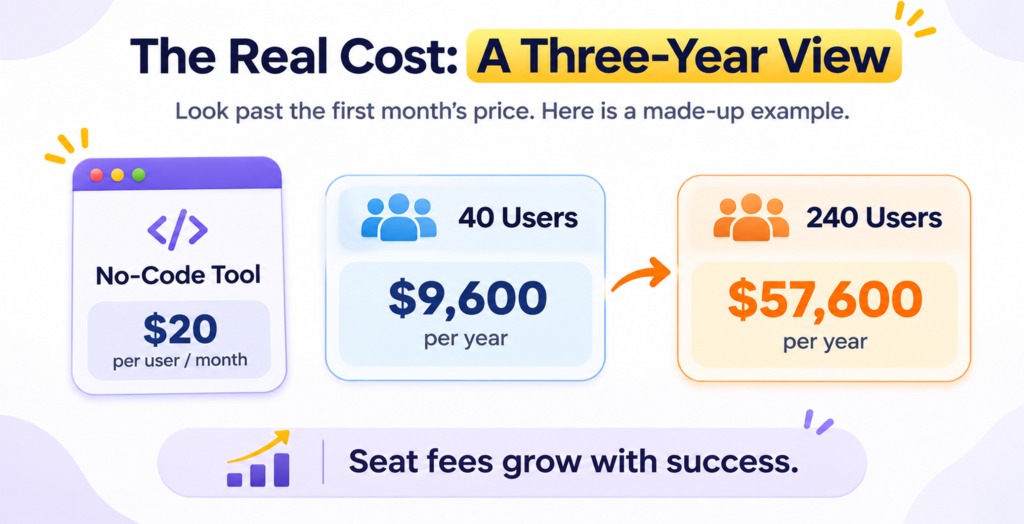
Look past the first month’s price. Here is a made-up example. A no-code tool costs $20 per user per month. For 40 users, that is $9,600 a year. If the tool spreads to 240 users, the bill jumps to $57,600 a year. Seat fees grow with success.
Now add the cost of leaving. If your app outgrows the platform, you may need to rebuild it from scratch. Quotes vary, but the work can reach tens of thousands of dollars or more, because logic and data may not export cleanly.
Before you sign, ask each vendor:
- Can I export my data and logic?
- How do prices change as users grow?
- Where is my data stored?
- What happens if I leave?
Five Questions to Decide
1. Who will build it? Business users point to no-code. Technical staff point to low-code or AI code.
2. How long must it last? Short-term tools suit no-code. Core systems need low-code or custom code.
3. How messy are your integrations? Simple web links are fine for no-code. Old ERPs and custom databases call for low-code.
Loved What You Just Read?
Let's Build Something Just as Great — For Your Business.
From web & mobile apps to UI/UX, AI solutions, and digital marketing — NGD Technolab turns ideas into scalable, real-world products. 14+ years, 550+ projects, one team you can rely on.
4. How sensitive is the data? Regulated data needs access control, logs and review.
5. Must the public find it through search and AI? If yes, plan server-side rendering and full control of page markup.
If you answer “business users, short-term, simple, low risk, internal,” go no-code. If you answer “IT-led, long-lived, complex, regulated,” go low-code. If you answer “public product, you want ownership,” look at AI code builders with developer review.
Conclusion
No-code or low-code development is not an all-or-nothing choice. Many companies use all three: no-code for small team tools, low-code for core systems and AI-built code for public products. Start with one small project, track cost and risk and grow from there.
Frequently Asked Questions
What is the difference in low-code and no-code?
No-code lets non-technical people build apps through drag-and-drop tools and no programming. Low-code uses the same visual tools but also lets developers add real code for complex rules, integrations and custom screens. Put simply, no-code is built for business users and low-code is built for teams that include technical staff. Pick the one that matches who will build and maintain the app.
Can no-code apps scale for a growing business?
Sometimes, but plan for limits. Many no-code tools handle simple workflows and small teams well. As users, data and rules grow, you may hit performance ceilings or rising per-user fees. Because the app usually lives on the vendor’s platform, moving away later can mean a rebuild. Before you commit, test the tool with realistic data and ask how exports and pricing work at your future size.
What are citizen developers, and what is shadow IT?
Citizen developers are employees outside IT, like finance or operations staff, who build apps with no-code or low-code tools. Shadow IT is what happens when those apps spread without any tracking, so nobody knows where data lives or who keeps it safe. Gartner has forecast that non-IT workers would make up at least 80% of low-code tool users by 2026, so governance matters. Keep an app list, approve standard tools and review anything that touches sensitive data.
Will AI coding tools replace low-code platforms?
Not completely. AI code builders like Bolt.new, v0 and Cursor create normal code you own, which suits public products and teams with developers. Low-code platforms still give business teams built-in security controls, hosting and audit trails. Many companies will use both. The better question is which tool fits each project, so match them using who builds, how long it must last and how sensitive the data is.
Are no-code websites bad for SEO?
Not automatically. What matters is whether your page content is in the HTML the server sends. Vercel and MERJ found that major AI crawlers like ChatGPT’s and Claude’s do not run JavaScript, so a page built only with browser scripts can look empty to them. Some site builders send finished pages and others do not. View your page source and look for your main text. If it is missing, switch tools or add server-side rendering.