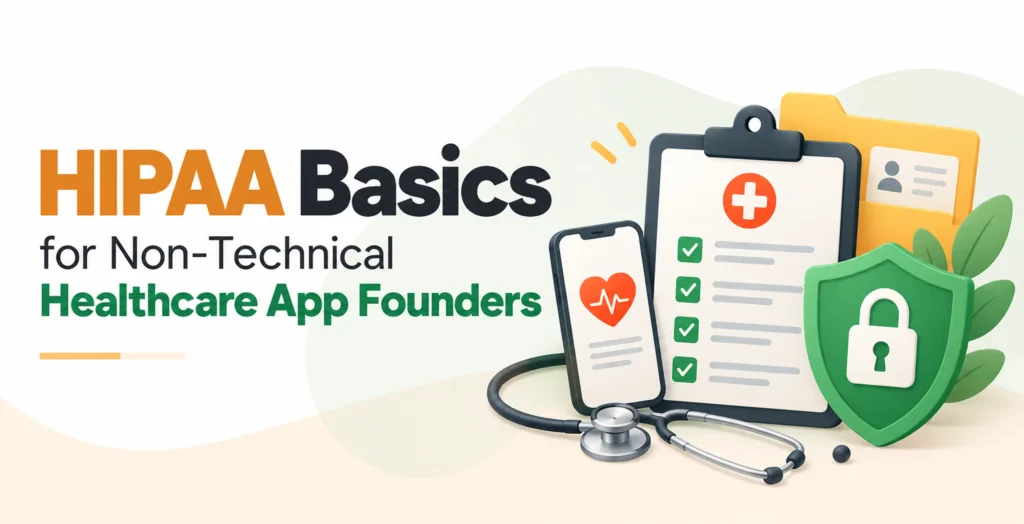
If your app handles patient information, HIPAA may apply to you. The good news is that HIPAA compliaWhat video API is HIPAA compliant for telehealth? nce for healthcare apps is a set of clear habits, not a mystery.
This guide gives you the HIPAA basics for healthcare founders in plain words, so you can talk to your developers and lawyers with confidence.
Here is the short version:
- HIPAA implemented when you deal with patient data for a doctor, hospital or insurer
- Names plus health details count as protected data
- Every single vendor that handles that data must sign a Business Associate Agreement (BAA)
- Protect the data with people, place and technology safeguards
- Treat compliance as ongoing work, not a one-time task
Does HIPAA Actually Apply to Your App?
HIPAA applies to your app when you create, store or send patient data on behalf of a healthcare provider, health plan or another vendor that serves them. A stand-alone app where people track their own health usually falls outside HIPAA.
Two terms matter here:
| Covered entity | Business associate | |
|---|---|---|
| Who | Hospitals, doctors, clinics, insurers | Vendors that handle patient data for them |
| Examples | A clinic, a health plan | A scheduling app, a cloud host, a messaging tool |
| Your app? | Rarely | Often, if a provider or plan hires you |
The U.S. Department of Health and Human Services (HHS) keeps a guide for app authors. It says that when a consumer picks an app on her own, sending data to a doctor through the app does not, by itself, make the developer a business associate. You become one when a provider or health plan hires you or offers your app to its patients.
Be careful, though. The same guide notes that slight changes in features or business model can change the answer. Ask a healthcare lawyer before you sign your first clinic customer.
What Counts as PHI?
PHI means Protected Health Information. It is health information that can be linked to a specified individual. When it lives on a computer, it is called ePHI.
PHI is more than a medical history. A patient’s name plus an appointment date, or plus the name of their doctor, is already PHI.
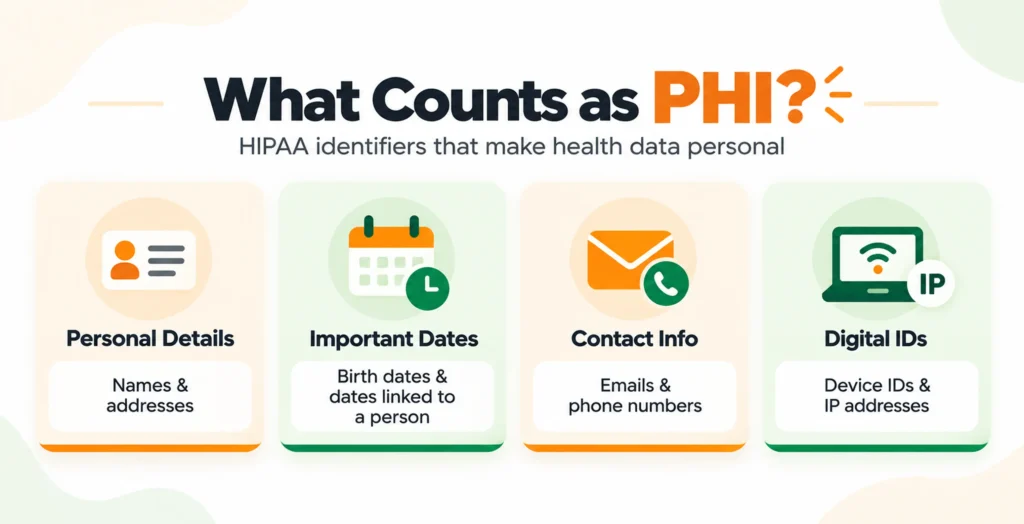
HIPAA lists 18 identifiers that make data personal. They include:
- Names and addresses
- Dates linked to a person, like a birth date
- Email addresses and phone numbers
- Device IDs and IP addresses
If you strip out all 18, the data is treated as de-identified under the Safe Harbor method and it is no longer PHI. The easiest win for any founder is to collect less data in the first place.
Business Associate Agreements: The Rule You Cannot Skip
A Business Associate Agreement (BAA) is a contract. The merchant promises to protect patient data and follow HIPAA guidelines and regulations. For a HIPAA business associate agreement startup, this is often the first legal task.
You need a BAA with every merchant that handles PHI. That is your vendor chain:
- Cloud hosting and databases
- Login and identity tools
- Text message and email services
- Error tracking and analytics tools
HHS says a provider or vendor may use cloud services for ePHI, as long as it signs a HIPAA-compliant BAA with the cloud provider. Big clouds like AWS, Google Cloud and Microsoft Azure offer BAAs for selected services, so check which services are covered.
Two traps are worth knowing:
- A merchant that stores only encrypted data is still a business associate. HHS says lacking an encryption key does not exempt a cloud provider.
- A service level agreement is not a BAA. Get both.
Standard consumer plans of tools like Google Drive or Mailchimp often come without a BAA. If a merchant might not sign one, keep PHI out of that tool.
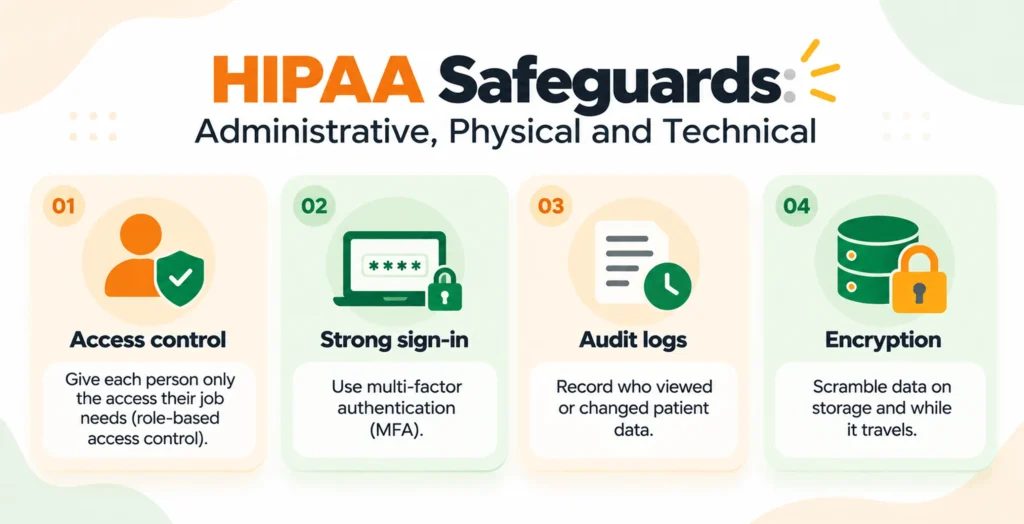
HIPAA Safeguards: Administrative, Physical and Technical
The HIPAA Security Rule groups protections into three kinds. Here are the HIPAA safeguards, administrative, physical and technical, made simple.
Administrative safeguards
These cover people and paperwork. Name a Security Officer (early on, often the founder or CTO). Write down your policies. Train everyone who sees PHI. Do a regular risk review.
Physical safeguards
These cover places and devices. Use screen locks, protect laptops and phones and control who can enter work areas. Your cloud provider handles its own data centers.
Technical safeguards
These cover the software itself:
- Access control: Give each person only the access their job needs (role-based access control).
- Strong sign-in: Use multi-factor authentication (MFA).
- Audit logs: Record who viewed or changed patient data.
- Encryption: Scramble data on storage and while it travels.
Today, encryption is labeled “addressable.” That means you must either do it or write down a solid reason and a safe alternative. Do not take the shortcut. AES-256 for stored data and TLS 1.2 or higher for data in motion are common choices.
Rules may get stricter. HHS proposed making encryption and MFA mandatory in January 2025. As of October 2026, the update is still only proposed and the federal agenda now lists a target final date of July 2027. Build to the stricter standard now.
On logs, HIPAA does not say “keep audit logs for six years.” It does require you to keep required security documentation for six years. Most teams keep logs for six years to be safe.
Loved What You Just Read?
Let's Build Something Just as Great — For Your Business.
From web & mobile apps to UI/UX, AI solutions, and digital marketing — NGD Technolab turns ideas into scalable, real-world products. 14+ years, 550+ projects, one team you can rely on.
Top Mistakes Non-Technical Founders Make
- Treating HIPAA as a one-time certificate. HHS does not certify products. OCR does not endorse, certify or recommend any cloud service, technology or product. Compliance is a habit you keep up.
- Using tools without a BAA. Check before any patient detail goes into email, chat or spreadsheets.
- Letting PHI leak into logs. Error tracking and debug logs can quietly capture names and IDs. Scrub them.
- Collecting too much. Every extra field is extra risk.
- Having no breach plan. Decide in advance who does what if data leaks.
How to Make an App HIPAA Compliant: 5-Step Launch Checklist
Use this HIPAA compliance checklist for a healthcare app before you go live:
- Collect less. List every piece of data you gather, and drop what you do not need.
- Pick HIPAA-ready hosting and sign BAAs. Do this with every vendor in your chain.
- Run a Security Risk Assessment (SRA). Find where PHI lives, list the risks and write down your findings.
- Turn on basic controls. Use encryption, MFA, role-based access and audit logs.
- Write policies, train your team and plan for breaches. Include a privacy policy, workforce training and an incident response plan.
Conclusion
HIPAA compliance for healthcare apps starts with three simple questions. Does HIPAA apply to us? What PHI do we touch? Which vendors need a BAA? Answer them, set up the three safeguards and keep your records.
Start with the five-step checklist this week. This guide is general information, not legal advice, so have a healthcare attorney review your plan.
Frequently Asked Questions
What are the penalties for a HIPAA violation?
Penalties depend on how much you knew and how fast you fixed the problem. In 2026, civil fines run from $145 to $2,190,294 per violation, sorted into four tiers. The government also sets a yearly cap for repeats of the same violation and serious cases can bring criminal charges. Regulators rarely reach the top amount, but a missing risk assessment or an unsigned BAA is still costly, so build your HIPAA compliance for healthcare apps early.
How often do I need a HIPAA security risk assessment?
HIPAA does not set one fixed date. The assessment must be accurate and thorough, and you should update it when your systems, vendors, workflows or threats change. A safe habit is to run a Security Risk Assessment (SRA) once a year and again before any big launch. The proposed Security Rule update would also require yearly assessments. Write down your findings, since regulators ask to see them.
Is AWS or Google Cloud HIPAA compliant on its own?
No cloud can make your app compliant alone. Big providers like AWS, Google Cloud and Microsoft Azure sign BAAs for selected services, but no hosting provider can make an organization HIPAA compliant on its own. You still need to use only the covered services, turn on encryption, set up access control and keep audit logs. Think of the BAA as the starting line, not the finish.
What counts as PHI in a mobile health app?
PHI is any health detail that can be tied to a person. In an app, that goes beyond medical records. A name with an appointment date, a doctor’s name, an email address, a device ID or an IP address can all make data PHI when they sit next to health information. Watch the quiet places too, like push notification text, analytics tools and error logs, and keep patient details out of them.
Can I use Google Drive or email to share patient data?
Only if the plan you use comes with a signed BAA. Standard consumer plans of tools like Google Drive, Gmail or Mailchimp often do not, so patient details should stay out of them. Ask the vendor which plan includes a BAA, and get it signed before you share anything. If a vendor will not sign, pick a secure messaging or storage tool that will.