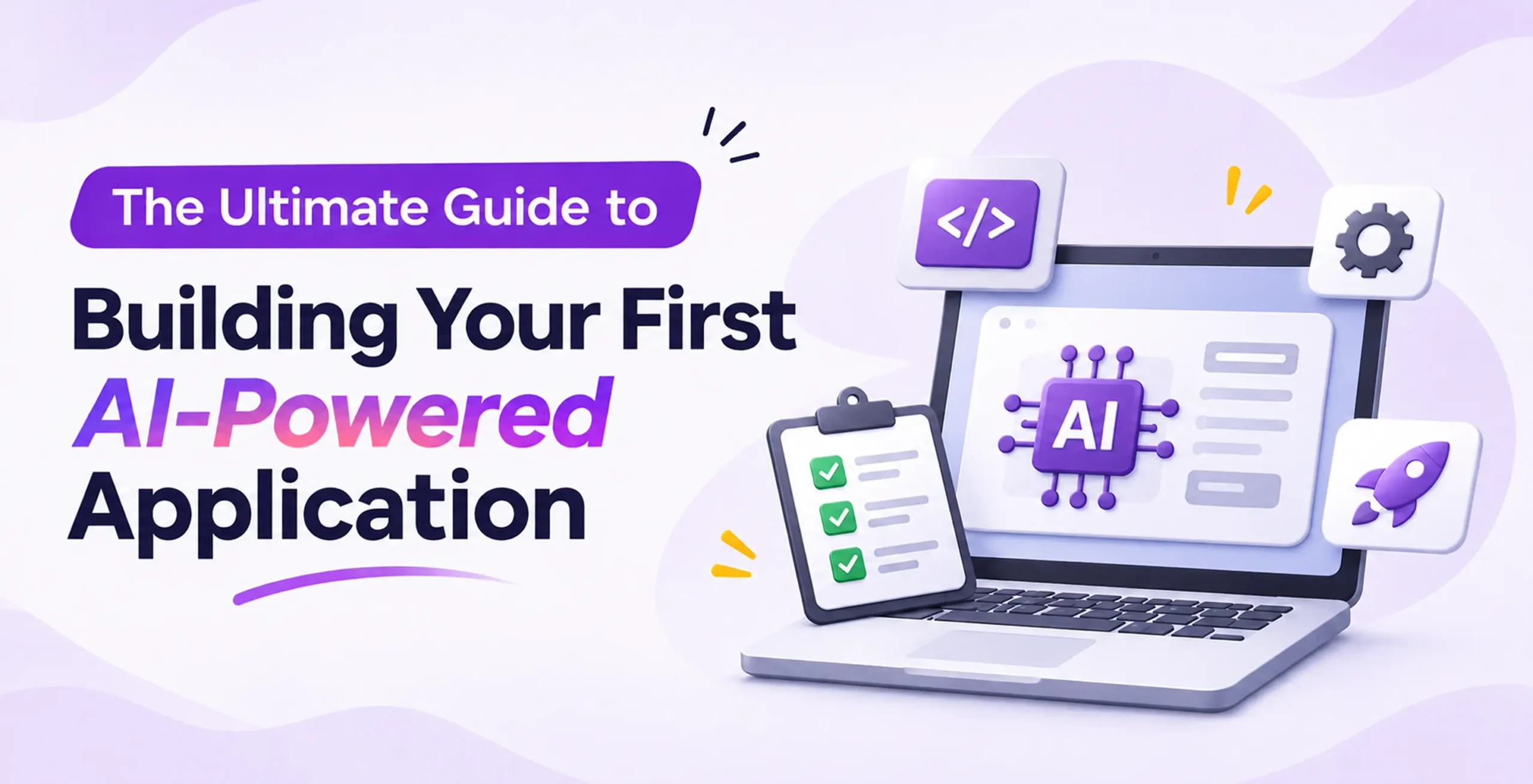
If you want to know how to build an AI app that people actually use, the secret is starting with a clear user problem rather than a flashy model. To build your first AI app from scratch, follow seven practical steps:
1. pick one measurable problem to solve
2. choose a no-code builder or code-first tech stack
3. store your API keys safely in environment variables
4. build a message loop to give your app memory
5. connect your own data using Retrieval-Augmented Generation (RAG)
6. add safety checks and structured outputs
7. set token limits to control costs.
Many first-time creators get stuck because online advice splits into two extremes: massive agency guides quoting $500,000 enterprise budgets or quick coding scripts that break the moment real users log in. This ai app development guide bridges that gap in plain English, walking you from your initial idea to a working product.
Step 1: Frame the Problem (And Know When Not to Use AI)
Successful ai application development starts by defining the exact job your software needs to do. Before touching any tools, write down who will use the app, what slows them down right now and how you will measure success within 90 days.
Good goals include cutting customer reply times under three seconds, reducing manual data entry by half or boosting checkout conversions.
Just as important is knowing when not to use artificial intelligence. Large language models (LLMs) work by predicting probabilities, which means they can occasionally guess wrong or respond slowly.
If your workflow follows strict, unchanging rules like calculating sales tax or routing a form based on a zip code, regular software code or basic rule-based automation is faster, cheaper and 100% predictable. Save AI for tasks that require reading messy text, summarizing documents or adapting to open-ended user requests.
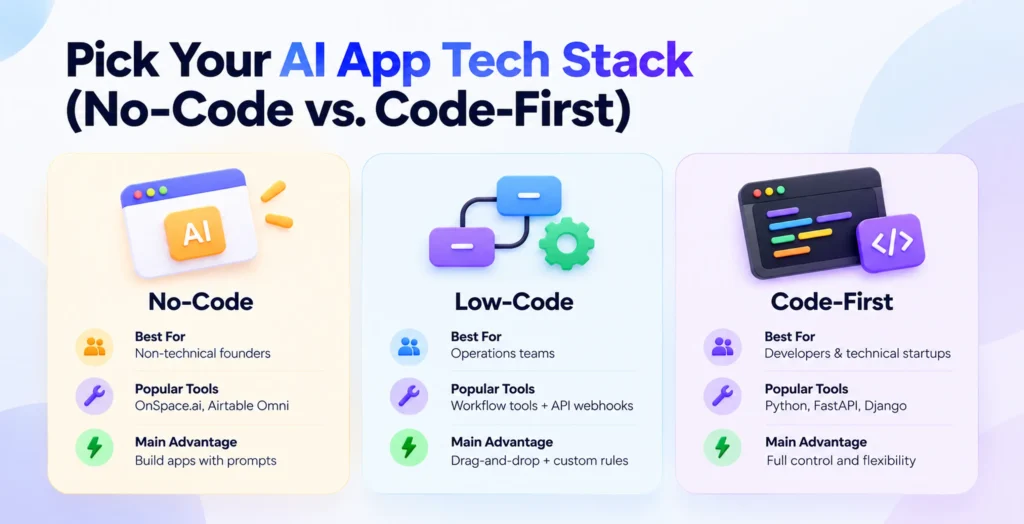
Step 2: Pick Your AI App Tech Stack (No-Code vs. Code-First)
When building ai applications for beginners, you do not need a PhD in math or a massive server budget. According to 2026 industry analyses from OpenSpace Services, pre-trained APIs from OpenAI, Google Gemini and Anthropic Claude already handle over 80% of everyday app needs, while on-device AI models running on phone chips (like Apple A18 or Google Tensor) can handle local tasks offline for free.
Depending on your technical comfort level, you can pick from three main build tracks:
| Build Track | Best For | Popular Tools & SDKs | Main Advantage | Key Trade-Off |
|---|---|---|---|---|
| No-Code Visual Builders | Non-technical founders & beginners | OnSpace.ai, Airtable Omni, prompt-to-app platforms | Turn plain-English prompts or Figma designs into working apps and databases without coding. | Harder to customize deep backend logic; tied to one hosting platform. |
| Low-Code Orchestration | Operations teams & fast internal MVPs | Visual workflow tools with custom API webhooks | Mixes drag-and-drop screens with custom security rules and user permissions. | Still requires basic knowledge of how databases and APIs talk to each other. |
| Code-First Engineering | Software developers & technical startups | Python (FastAPI, Django), TypeScript (Vercel AI SDK) | Complete control over app speed, conversation memory, and custom data pipelines. | Takes longer to build (often 6–12 weeks for a full MVP) and needs dedicated testing. |
If you use a no code ai app builder, write detailed prompts that state your target user, three to five core features, visual style and mobile publishing needs specific instructions generate much better apps than vague one-liners.
Step 3: How to Build Your First AI App with Python Step by Step
If you choose the code-first route to build an ai app with python (or a typescript ai sdk tutorial), you will quickly run into a surprise: LLM APIs are completely stateless. That means the AI has zero memory of what you said five seconds ago unless your app sends the past conversation back with every new message.
To solve how to add conversation memory to a stateless llm chatbot, follow this five-part coding loop:
1. Hide your API key: Create an API key from OpenAI, Google Gemini, or Anthropic, and save it in a private .env file loaded with python-dotenv so hackers cannot steal it from your code.
2. Set up three message roles: Use the system role to give the AI its job rules, the user role for the human’s input, and the assistant role to save the AI’s replies.
3. Create a memory list: Store every turn inside a messages list and send that list to the model on each call.
4. Tune the settings: Set temperature=0 when you want strict, repeatable facts rather than creative writing, and wrap the call in a try…except block so failed requests do not break the chat.
5. Enforce clean data: Use a validation library like Pydantic so the model returns neat, predictable JSON data that your app’s database can read safely.
Step 4: Ground Your AI App Architecture in Private Data with RAG
Standard AI models only know what they learned during training—they cannot see your private company PDFs, live inventory, or customer support tickets. According to technical documentation from Microsoft Learn and GitHub, Retrieval-Augmented Generation (RAG) is the standard way to connect private data without spending millions to train a new model.
A solid ai app architecture using RAG works like an open-book exam:
- Clean and chunk your data: Use Optical Character Recognition (OCR) to read scanned files, remove duplicate or messy text, and slice documents into small paragraphs called chunks.
- Create embeddings: Convert those text chunks into number lists (vectors) that capture meaning, and store them in a vector database.
- Retrieve and cite: When a user asks a question, hybrid search RAG combines keyword matching with math (cosine similarity) to grab the most relevant chunks and paste them into the AI’s prompt. The AI then answers using only those verified facts and shows source citations, which sharply cuts down on made-up answers (hallucinations).
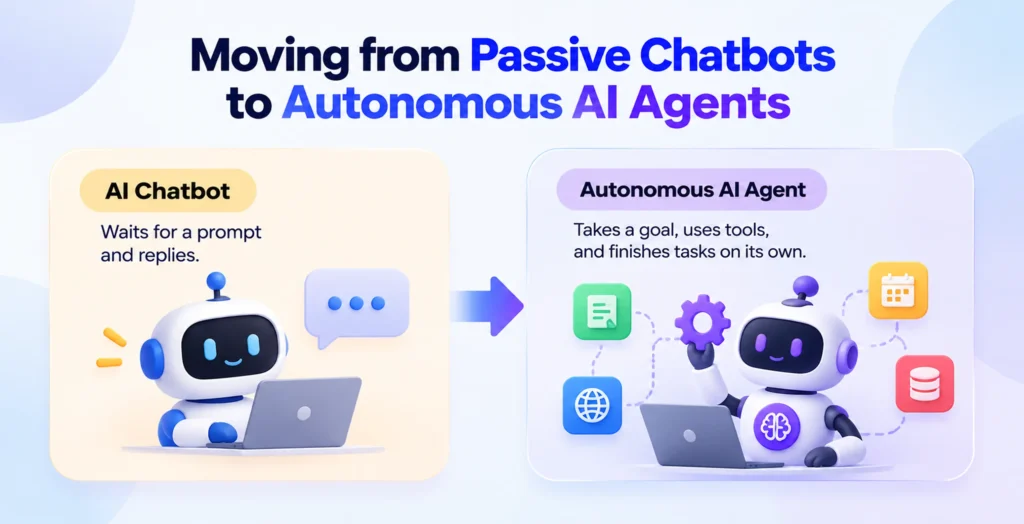
Step 5: Moving from Passive Chatbots to Autonomous AI Agents
Modern llm application development goes beyond simple question-and-answer boxes. Understanding the difference between building an ai chatbot and an autonomous ai agent is key to picking the right design:
- An AI Chatbot waits for a prompt and replies with text.
- An Autonomous AI Agent takes a broad goal, breaks it into smaller steps, chooses tools, calls external APIs, updates files, and finishes multi-step jobs on its own.
If you want to build an ai agent from scratch, frameworks like LangChain, CrewAI, AutoGen, and the Model Context Protocol (MCP) make it much easier to connect models with external tools. Because a buggy agent can accidentally delete database rows or send wrong emails, always restrict its permissions and require human approval before it runs sensitive actions.
Loved What You Just Read?
Let's Build Something Just as Great — For Your Business.
From web & mobile apps to UI/UX, AI solutions, and digital marketing — NGD Technolab turns ideas into scalable, real-world products. 14+ years, 550+ projects, one team you can rely on.
Step 6: Manage the Cost to Build an AI App and Add Security Guardrails
What is the real cost to build an ai app in 2026? Testing a script yourself costs less than $0.10 in API credits. According to published API pricing from OpenAI, Google, and Anthropic, output tokens cost three to five times more than input tokens across every major provider. For commercial ai mvp development, a lean API-powered prototype built with a small team or offshore studio typically costs $15,000 to $50,000, while full-featured commercial MVPs and complex enterprise RAG or agent platforms run from $50,000 to $150,000+, plus 20% to 40% of the build cost each year for API tokens, vector hosting, and monitoring.
To solve how to keep llm api costs under control in ai applications and protect your users in production, put an AI integration layer between your app and the model:
- Use smaller models for simple jobs: Route everyday tasks to fast, low-cost models like gpt-4o-mini, gpt-5.4-nano, or gemini-2.5-flash-lite instead of using expensive frontier models for everything.
- Cap tokens and trim history: Set a strict max_tokens limit on replies and only send the last 10 to 20 messages of chat history so your prompt size does not balloon.
- Cache repeated questions: Save answers to common queries so you do not pay the API twice for the exact same question.
- Lock down security and QA: Filter out personal user details (PII redaction), block prompt injection tricks that try to hijack your system rules, and run an AI evaluation framework to test tricky edge cases before launch.
Conclusion
Learning how to build an AI app does not mean you have to build a complex, expensive system on day one. The smartest approach to ai application development is starting small: pick one real problem, test your idea with a no code ai app builder or a simple 25-line Python script and make sure it actually helps your users before adding heavy features.
Frequently Asked Questions
How do I create an AI app from scratch as a beginner?
To figure out how to create an ai app from scratch, follow a simple step by step roadmap for building an ai app from idea to launch: pick one specific user problem, choose a no-code builder (like OnSpace.ai) or Python with an LLM API, secure your API key in a .env file, build a message list for chat memory, connect your own documents with RAG, and test thoroughly before launching.
Can I build an AI-powered application without coding experience?
Yes, beginners can build and launch working apps without writing code by using a no code ai app builder like Airtable Omni or OnSpace.ai. These platforms turn plain-English descriptions and wireframes into screens, databases, and AI workflows, though you still need to plan your data structure and test the app’s answers carefully.
How long does it take to build your first AI app?
Coding a basic command-line chatbot in Python or TypeScript takes about 30 minutes. Building a polished commercial ai mvp development project with user logins and a clean interface usually takes 6 to 12 weeks, while custom enterprise RAG systems or multi-tool AI agents take 3 to 9 months.
Should I train my own AI model or use an existing LLM API?
Almost every founder and developer should start with an existing API like OpenAI, Google Gemini, or Anthropic Claude. Training a custom foundation model from scratch can cost millions of dollars, whereas pairing an existing API with Retrieval-Augmented Generation (RAG) gives your app accurate, private business knowledge in a matter of weeks.
How do developers stop AI apps from making up fake facts?
Developers reduce hallucinations by grounding the model with RAG so it only answers from verified document chunks, setting the model temperature close to zero for factual tasks, validating outputs with Pydantic, and requiring the app to show source citations alongside every answer.