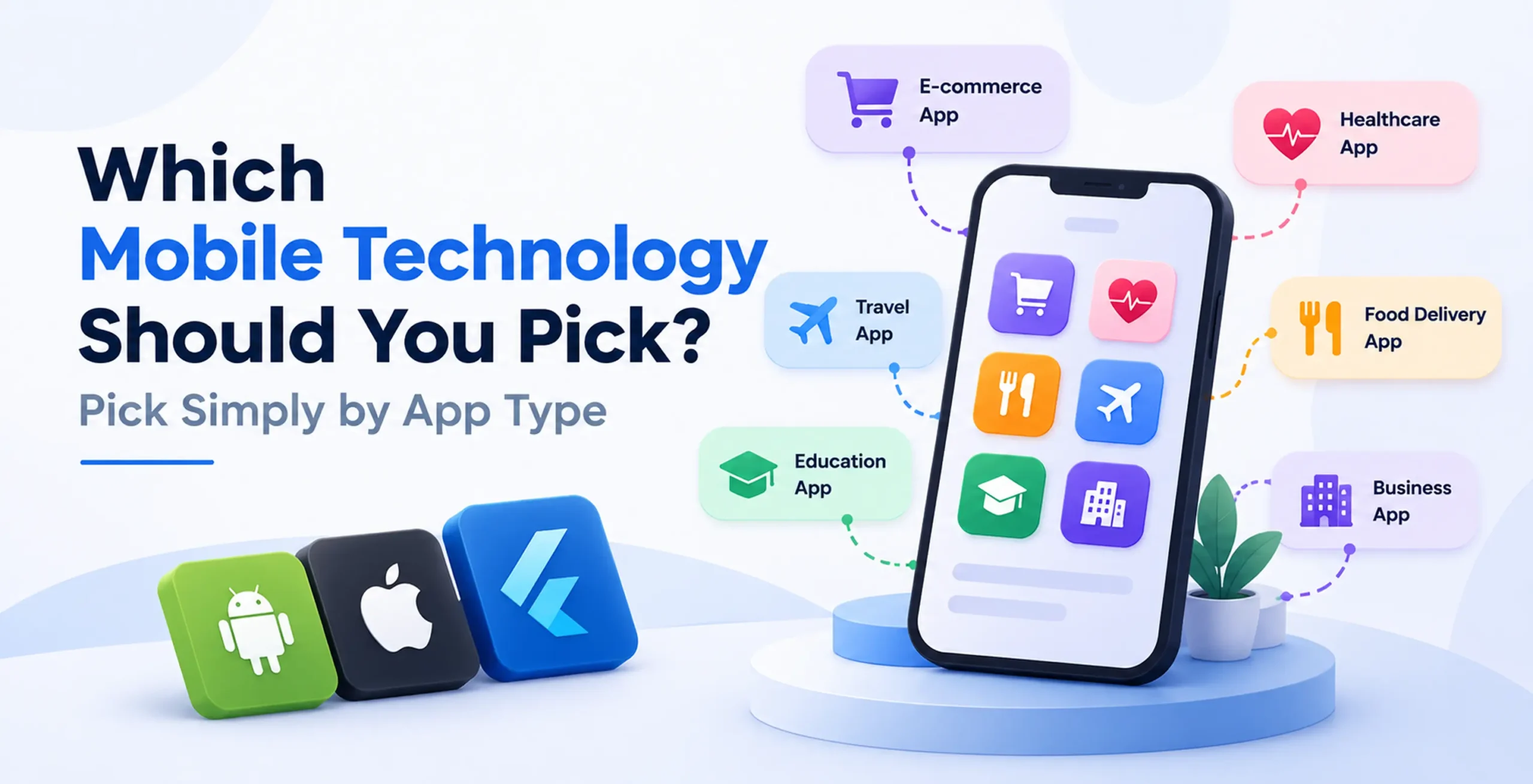
If you are wondering which mobile technology to pick, here is the short answer. Most business apps do well with a cross-platform tool like Flutter or React Native. Pick native (Swift for iPhone, Kotlin for Android) when the app needs deep hardware access or top speed. Pick a Progressive Web App (PWA) when you want a low-cost, web-first app with no app store.
The right choice depends on what your app does, what your team knows and how fast you must launch. Below is a simple chooser by app type, plus the trade-offs behind each option.
The Four Options in Plain Words
Mobile tech stack selection starts with knowing what each option really is:
- Native: You frame one app for iPhone in Swift along with another for Android in Kotlin. Each uses the phone maker’s own tools like Xcode and the Android SDK.
- Flutter: Made by Google. You write one codebase in Dart. Flutter draws every screen itself with its Impeller engine, so the app looks the same on both phones.
- React Native: Made by Meta. You write one codebase in JavaScript or TypeScript. It uses real native buttons and screens, so each phone keeps its own look.
- PWA: A website that acts like an app. People open it in a browser and can add it to their home screen.
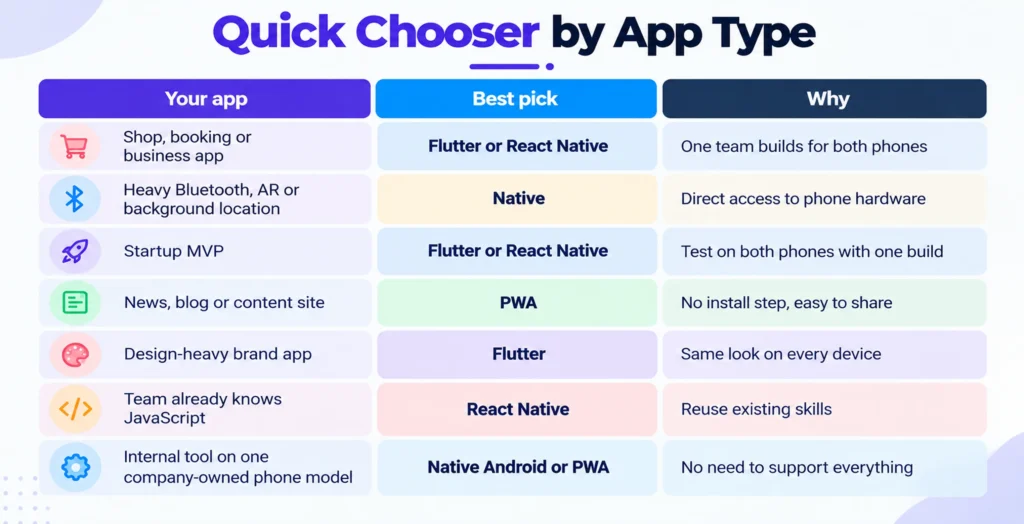
Quick Chooser by App Type
Use this table as your mobile framework chooser:
| Your app | Best pick | Why |
|---|---|---|
| Shop, booking or business app | Flutter or React Native | One team builds for both phones |
| Heavy Bluetooth, AR or background location | Native | Direct access to phone hardware |
| Startup MVP | Flutter or React Native | Test on both phones with one build |
| News, blog or content site | PWA | No install step, easy to share |
| Design-heavy brand app | Flutter | Same look on every device |
| Team already knows JavaScript | React Native | Reuse existing skills |
| Internal tool on one company-owned phone model | Native Android or PWA | No need to support everything |
These are starting points, not laws. Read on to see why.
When Native (Swift and Kotlin) Is the Right Pick
Choose native when the app depends on hardware that runs all the time. Think of a fitness tracker that talks to a Bluetooth LE band, a delivery app with background location sync or an AR tool that uses LiDAR. Native also gives you new phone features the day they launch.
The cost is real. You run two codebases, which usually means two teams and double the upkeep.
Updates never stop either. According to Google’s Play rules, from August 31, 2026, every new app and app update must target Android 16 (API level 36) or higher. That rule applies to every stack on Google Play, so budget time for it.
Pick native when hardware or top speed is the main selling point of your app.
Flutter vs React Native: Which Cross-Platform Tool?
Both tools let one team ship to iPhone and Android. The cross-platform vs native cost gap is the main reason people pick them.
Agency guides often say cross-platform saves 30% to 50% compared with two native apps. Treat that as a rough guess, not a promise. Savings depend on how many phone-specific features you need.
How do you pick between Flutter and React Native?
- Pick Flutter if you want the same look everywhere or you also plan a web or desktop version. Flutter’s own engine draws the screen. Think of it as painting on a canvas.
- Pick React Native if your team already writes JavaScript or React. It uses real phone controls, so new system styles show up on their own. Its New Architecture, which includes Fabric, became the default in version 0.76 in October 2024.
Many people worry that these tools are slow. Newer versions have closed much of the gap, so most shopping, booking and social apps run smoothly. Heavy 3D and constant sensor use are still where native wins.
What about a fintech app? Neither tool is automatically safer. Ask who will build and maintain the secure parts, such as biometric login and secure storage. If your team lacks that skill, plan for native help.
Pick Flutter for a matching look and React Native when your team already knows JavaScript.
When a PWA Makes Sense
A PWA works best when reach matters more than phone features. Content sites, simple tools and catalogs fit well. Users skip the app store and you update everything from your server.
Progressive web app vs native app cost is usually an easy win for the PWA, because you keep one web codebase. The limits show up on iPhone though.
- Push messages work, but only after the user adds the web app to the Home Screen, a feature that arrived in iOS 16.4.
- Web Bluetooth, Web USB and Web NFC are still off the table, so hardware-heavy ideas will not work.
So when should you build a PWA instead of native? Whenever your app is largely pages, forms and lists and you want individuals to try it with one tap.
Pick a PWA when your app is usually content and your consumers will not install anything.
Loved What You Just Read?
Let's Build Something Just as Great — For Your Business.
From web & mobile apps to UI/UX, AI solutions, and digital marketing — NGD Technolab turns ideas into scalable, real-world products. 14+ years, 550+ projects, one team you can rely on.
Five Questions to Ask Before You Decide
Answer these in order. They narrow your choice fast.
- Does the app need always-on hardware? If yes, go native.
- What does your team already know? JavaScript points to React Native. Dart or a fresh start points to Flutter.
- How fast must you launch? For a quick MVP, one shared codebase usually gets you there sooner.
- Should it look identical or feel native on each phone? Identical favors Flutter. Native feel favors React Native.
- Do you need app store listings? If not, a PWA may be enough.
If you end up between two options, build a small prototype of your hardest screen in each. A week of testing is cheaper than a wrong choice.
Conclusion
Final Thoughts
There is no single best answer to which mobile technology to pick. Cross-platform suits most business apps and MVPs. Native suits hardware-heavy products. A PWA suits content and simple tools.
Start with the five questions above, match your app to the chooser table and test one hard screen before you commit. That small step saves the most money.
Frequently Asked Questions
What’s the difference in-between native and cross-platform app development?
Native development means building a separate app for each phone: Swift for iPhone and Kotlin for Android. Cross-platform development means writing one codebase with a tool like Flutter or React Native and running it on both. Native gives you the most hardware control. Cross-platform usually saves time and money, which is why most business apps and MVPs start there.
Is Flutter or React Native better for a business app? And why?
Neither wins every time, so match the tool to your team. Flutter uses Dart and draws its own screens, which gives you the same look on every phone and a path to web and desktop. React Native uses JavaScript and real native controls, so it suits teams that already know React. For a fintech or shopping app, check who can build the secure parts before you pick.
What is Kotlin Multiplatform, and should I use it? And why?
Kotlin Multiplatform lets you share code, like business rules, between Android and iPhone while keeping each phone’s own native screens. One review notes it has a steeper setup and a smaller talent pool than React Native and you still maintain two UIs. Consider it if your team already writes Kotlin and native screen quality matters most.
Should I build a PWA or a native app? Can a PWA go in app stores?
Build a PWA when your app is mostly pages, forms and lists and you want users to open it with one tap. On iPhone, push messages only work after the user adds the web app to the Home Screen. You can also list a PWA in a store. A store app may use a Trusted Web Activity to show PWA content, but hardware-heavy features still requires a native code.
Which mobile tech stack should I decide for a MVP?
Pick the option that gets real users testing your idea fastest. For most MVPs that means Flutter or React Native, because one team ships to both phones with a single build. Use a PWA if your idea is web-first and needs no app store. Choose native only if the core feature needs always-on hardware, like Bluetooth LE or background location.